Every capability has its test status written next to it
UAESGP encrypts sensitive data in several places: in database columns, in whole API requests and responses, on the way from browser and mobile apps to your backend, in exchange with partners and in existing records in the database. It stores keys apart from the data, the database and the application. Data and the key service run in your infrastructure. For metering, the license service sends the vendor server the license number, instance identifier, service name, version, operation count and binary hash.
If no mail app opens, write to this address: ogabekkadirov.dev@gmail.com
- Tested on a clean server
Installed from the customer bundle on a clean Ubuntu 24.04 arm64 server and run from start to finish in production mode (5–8 November 2026). The code has changed since.
- Tested in the lab
Vendor and customer servers in separate Docker containers on one amd64 computer, run from the customer bundle from start to finish (9 November 2026). Not on a physical or virtual server.
- Unit tested
Automated tests in the repository, or tests against a test server, pass. Not checked separately in a running bundle.
- Not yet tested
The code exists but has not been tested in real conditions.
- Not yet available
Does not exist. Do not assume it does.
Status: 19 November 2026. Clean server: Ubuntu 24.04 arm64. amd64 was tested in a Docker lab, not yet on a physical or virtual amd64 server.
Nine areas, with the benefit and level of evidence on every row
What has been tested, what has not, and what does not exist are all on this list. Read the Not yet available rows too: they affect your decision.
- EG
- Encryption Gateway. The application sends it a value, and it encrypts the value and returns an envelope.
- EDAL
- The field layer for databases and services. It works without sessions, with mTLS only.
- KMS
- The key service. It creates and wraps keys and gives them to EG and EDAL. It does not see customer data.
- Envelope
- JSON containing the ciphertext and the fields used to verify it. This is what goes to your database, into an API response or to a partner instead of the plaintext value.
- Tenant
- A separate business division or system within one deployment. It has its own KEK.
- Domain
- A class of data within a tenant, for example
pii.phone. The unit of rotation, revocation and destruction. - mTLS
- TLS in which both sides present a certificate.
- HSM
- A dedicated device that holds a key inside and does not let it out.
- Vendor
- The supplier of UAESGP. It signs the license and the usage lease.
Encryption
Your application sends the value over TLS to the EG, and the EG encrypts it and returns an envelope. Plaintext passes through the EG on your server. The path is the same for a database column, a whole API body and a browser or mobile app.
- Tested on a clean server
Field encryption through the gateway
If a database copy is stolen, protected columns contain no readable value.
- Tested on a clean server
Reading a stored value later
Existing records are decrypted only for an authorized backend.
- Unit tested
Sealing a whole body in one envelope
The whole JSON body of an API request or response goes into one envelope. The sender does one encryption and the receiver one decryption: each is 1 operation whatever the body size. Available in all 12 SDKs and on the proxy's
whole_bodyroutes. The whole body sits under one domain and one key, so you cannot grant per-field access or search. The default limit is 774,144 bytes, up to about 12 MiB by configuration. Not yet tested on a live EG. Developers. - Tested on a clean server
EDAL: column-level encryption
You encrypt individual columns without a session. The tenant comes from the certificate, not the request.
- Tested on a clean server
Node.js SDK
Encryption and later reading of the stored value have passed on a clean server.
- Tested on a clean server
Go SDK
It has touched a real EG through
uaesgp-cli, insidemake smoke. It has not been run separately as application code on a live EG. - Unit tested
Three independent checks on every envelope
HMAC-SHA256, Ed25519 signature and AES-GCM tag. A modified value is not accepted.
- Unit tested
The EG parses envelopes strictly
The EG rejects duplicate keys and invalid base64. The SDK parsers other than Go do not reject duplicate keys, which matters for local decryption through key release.
- Unit tested
Row binding (EDAL v2)
Ciphertext copied to another row does not decrypt.
- Unit tested
Column binding (Django, Laravel)
An envelope copied from another column does not decrypt as this column. The SDK tests pass against a test server.
- Unit tested
Exact-match search
You find records by phone or email without decrypting the table. The token reveals equality and the number of repetitions.
- Unit tested
Python, PHP/Laravel, Java/Spring, .NET, Rust and Flutter SDKs
Their tests pass against a test server; they have not touched a real EG. The Python, PHP, Java, .NET and Rust suites passed in the lab on 9 November 2026.
- Not yet tested
Browser TypeScript, React Native, Android, iOS SDKs
Not run yet in an app or against a real EG. The iOS SDK does not build from the archive. Details on the Developers page.
- Not yet tested
PostgreSQL extension
Encryption and decryption from inside SQL. In this mode the superuser stays inside the trust boundary. Not yet run from the bundle.
- Tested on a clean server
JSON proxy
For a system whose code cannot be changed: it replaces the specified JSON fields, or the whole body on a
whole_bodyroute, with an envelope and returns the result to the same caller. It encrypts only and does not work with SQL. Field-mode encryption was tested on a clean server. Whole-body mode is only covered by tests, and the token-refresh cron is not tested. - Not yet tested
Encrypting plaintext records already in the database (migration)
uaesgp_backfillon PostgreSQL,encrypt_plaintext_rowson Django, and your own script through the SDK or EDAL on other stacks. Each column of each row is 1 operation. Not yet run from the archive or with a real EDAL. Developers. - Not yet available
Range, LIKE, sorting, join
An encrypted column cannot be filtered or sorted. Only exact match exists.
- Not yet available
On-device encryption
The SDK sends the value over TLS to the EG. The browser and mobile SDKs do the same.
- Not yet available
Automatic re-encryption of existing data after a key rotation
No such job exists. Re-encryption is done through your application.
Keys
A three-level hierarchy. The database holds only wrapped keys, meaning keys encrypted with another key. Diagram.
- Tested on a clean server
Three-level hierarchy: RMK, KEK, DEK
Keys and data live apart. Tested in software root key mode.
- Tested on a clean server
Software root key (default)
No additional device is needed. The trade-off is that the RMK sits in a file on the host disk and in KMS memory.
- Unit tested
Rejecting a wrong root key
The KMS does not start with a wrong key and does not create an invalid key.
- Tested on a clean server
Manual key rotation (Rotate)
The Rotate button in the console creates a new DEK version. The old version stays for decryption.
- Unit tested
Automatic DEK rotation
30 days by default. Keys rotate without manual work.
- Unit tested
KEK and RMK rotation
You replace the wrapping without re-encrypting data. KEK is 90 days by default.
- Unit tested
Encryption budget per DEK
Prevents AES-GCM failure at very high volume. In production, if the counter is not working, encryption stops.
- Unit tested
Key revocation (revoke)
You cut off an exposed key. For those versions this is irreversible.
- Unit tested
Crypto-shredding
You delete the keys and make all of a domain's data unreadable.
- Unit tested
Signed key response
Even if TLS is intercepted, a modified key response is rejected.
- Unit tested
FIPS 140-3 variant
The ability to run on Go's FIPS module. It is not in the standard bundle and does not mean UAESGP itself has been validated.
- Not yet tested
PKCS#11 HSM
Code exists to keep the RMK inside the token. This path is not yet tested, either on a real device or in the bundle.
- Not yet available
Two-person control
There is no second-person approval mechanism for destruction or for the root key.
- Not yet available
O'z DSt 1105 and 1092
International algorithms are used. National algorithms are not in the code.
Tenant isolation
Isolation is cryptographic and logical, not at hardware level.
- Tested on a clean server
Creating tenants and domains
You create a new division and data class from the console or through the CLI.
- Unit tested
A separate KEK for each tenant
A wrapped key copied to another tenant's row does not pass the GCM check.
- Unit tested
The tenant comes from an authenticated credential
From the session token or certificate, not the request body. The match is checked at the session, envelope, KMS, API key and EDAL.
- Unit tested
Isolation by domain
A separate DEK for each data class. Up to 1000 domains per tenant by default.
- Not yet available
Per-user or per-record permissions within a tenant
A tenant's session decrypts that tenant's envelopes. The only restriction is the
domlist inside the token.
Tenants share one EG, KMS, database and RMK. If the RMK is exposed, all of them are affected. Use a separate deployment for systems whose risk is separate.
Audit
Evidence of who decrypted what. There is no plaintext in the log.
- Unit tested
Keyed audit chain
If a record is changed or deleted, verification detects it. HMAC-SHA256, two separate chains.
- Unit tested
Append-only at database level
UPDATE, DELETE and TRUNCATE are blocked by triggers. The audit service does not start with an over-privileged role.
- Unit tested
External checkpoints
You can prove that the end of the log was deleted, if you keep logs outside the database.
- Unit tested
Who decrypted what
Each encryption, decryption and key release: time, tenant, domain, key, caller, result, IP. Records are delivered asynchronously.
- Unit tested
On-demand verification
A console button,
uaesgp-cli verifyanduaesgp-cli kms-verify. Exit code 3 means the chain is broken. - Not yet available
Proof an external auditor can verify independently
Checkpoints are a symmetric MAC. The auditor needs the key or has to trust the operator.
The chain detects changes but does not prevent them. If the chain key and the database owner role are in one pair of hands, history can be rewritten, and only earlier external checkpoints show it. Give them to different people. If the audit service and the Redis queue stop together, an event stays only in the local log, is counted and raises a warning.
Sharing with partners
A partner decrypts data in its own environment, sends a signed request to your API, or you pass envelopes between services.
- Unit tested
Releasing a key to a partner (key release)
The DEK is wrapped to the partner's X25519 key, and plaintext does not pass through the platform. No audit record means no release.
- Unit tested
Decrypting an in-transit envelope once
An intercepted envelope cannot be resent. Wire mode.
- Tested on a clean server
Checking a partner request's signature (apigw)
A partner sends your API a request signed with Ed25519; apigw checks the signature, the time and a one-time nonce, then passes it on. Tested on a clean server, forwarding to the proxy: a signed request got 200, a replay 409, a foreign key 401. Forwarding to your own API is not yet tested.
- Not yet tested
If the partner also runs UAESGP
The partner's own platform cannot open your envelope: each installation creates its root key on its own server. There are three paths: the partner opens the envelope through your EG, you give the key to the partner, or you encrypt the response with the partner's EG. All three are in the code but have not been tested between two separate installations. Table.
A released key is outside revocation and metering: revoke does not reach a key in a partner's cache or one it has kept. A partner holding the key can change domain or aad_extra and present a valid signature. Pinning a partner key through EG_RELEASE_PARTNER_KEYS does not work with the SDKs. The license must include the key-release feature.
Administration
Installation, login, certificates and roles.
- Tested on a clean server
One-command installation
sudo ./install.sh: 5 questions, 9 stages, no source code. The guide says it usually takes 15 to 20 minutes; this is not a measurement. - Tested on a clean server
Upgrade and restart
sudo ./install.sh --frommoves from the old folder to the new version. - Tested on a clean server
Admin login and MFA
Argon2id, TOTP mandatory in production, forced password change, lockout.
- Tested on a clean server
mTLS between services and allowlists
A valid certificate alone does not open every door.
- Tested on a clean server
Certificate renewal and client certificate
make renewrenews a certificate without stopping the service.make client-certissues a certificate to an application, and adding it to the allowlist requiresmake recreate. - Unit tested
Two proofs for the admin API
An allowlisted mTLS identity and an admin JWT. For direct API access, a stolen token alone is not enough.
- Unit tested
Four roles, enforced on the server
viewer, operator, auditor, admin. The auditor cannot access key management.
- Unit tested
Separation of the control and data paths
The admin API does not return keys. One identity cannot be on both lists.
- Unit tested
If a setting is missing, the service stops
In production, if a key or list is missing, the service does not run in a degraded state; it does not start.
- Unit tested
One-time session tokens
An intercepted login token does not work a second time.
- Tested on a clean server
A separate session token key per application
Each application opens a session with its own signing key; one key is not handed to every application.
- Not yet tested
Login through OIDC
The backend supports it. The console in the standard bundle shows no button; it is built on request.
- Not yet tested
Console guard
The installer adds the
uaesgp-console-guardsystemd service and an iptables rule that blocks the console from Docker networks. A compromised platform container then cannot use an admin token through the console. This part is not yet tested.
Monitoring
All of it is on your server. In production it is closed to the outside.
- Tested on a clean server
Grafana, Prometheus, Kibana
make monitoring-onexposes them only on 127.0.0.1, and you connect over SSH. One Grafana panel, 7 indicators, metrics kept for 30 days. Kibana has no ready-made views. - Unit tested
Masking sensitive data in logs
Email, phone, card number, tokens and keys are masked by field name and in free text.
- Unit tested
13 anomaly rules
Tampering, replay, tenant mismatch, revoked key. They catch only errors. You add the rule for the volume of successful decryptions yourself.
- Not yet tested
25 alert rules
For service outages, tampering, replay, the audit chain and the license term (30 and 7 days, grace, expiry, vendor suspension). The receivers are empty: until you configure
alertmanager.yml, notifications reach no one. - Tested in the lab
Log retention
Elasticsearch opens a new index every day: logs are kept for 90 days and the audit copy for 365 days, then deleted. The periods can be changed.
- Not yet available
Database and data store metrics
There is no exporter for Postgres, Redis, Elasticsearch and Logstash. There are no alert rules for certificate expiry or these data stores. There is no alert for nearing the monthly limit either.
Backup
For the platform databases. Backing up your application database is your job.
- Tested on a clean server
Encrypted backup
make backup: the 5 platform databases are encrypted throughage, and no plaintext dump lands on the host disk. - Tested on a clean server
Restore
make restore, with a typed confirmation. DEKs created after the backup are lost, and later revoke and destroy actions are redone. In the lab all five databases were restored in 38 seconds. - Not yet available
Scheduling and sending to an external location
You add it to cron yourself. No cloud or external copy is set up.
The root key is deliberately left out of backups. If it is lost, the data is lost too, and the vendor cannot restore it either. Keep the age identity and the .master/ folder offline. A full virtual machine copy of the UAESGP host, meanwhile, is equivalent to a stolen disk.
License
The system depends on a vendor-signed usage lease. Know this before signing a contract.
- Tested on a clean server
Vendor-signed usage lease
Without a valid lease, EG, EDAL and KMS do not encrypt, decrypt or release keys. Billing cannot be bypassed by editing settings.
- Tested on a clean server
Real attacks attempting a bypass
.envedits, blocking the vendor, direct KMS calls with the EG certificate, forged and rolled-back state, the monthly limit, revoke. All were refused. - Tested on a clean server
Billing by granted blocks
The vendor counts granted blocks, not operations performed: a block is charged when granted and is not refunded. Deleting or rolling back the state file took a new block, and the vendor recorded it.
- Unit tested
Air-gapped operation: signed lease file
An
airgappedlicense and an offline-signedlease.json. Nothing goes to the vendor. The file procedure was tested: operations run out, an old file is refused, a restart does not reset the count, the next file is accepted. On the Enterprise plan. - Not yet tested
Check-in every 24 hours, stop after 7 days
The services check in with the vendor every 24 hours. If there is no verified check-in for 7 days, all services stop together with the console, and they come back on their own once the connection returns.
- Not yet tested
Air-gapped image bundle
The path for bringing in third-party images offline (
INFRA=1). - Not yet available
License status in the console
The lease term and remaining operations are not shown on screen. Only logs and
uaesgp_license_*metrics.
Decryption stops too. If the usage lease expires (default term 72 hours, renewal about every 15 minutes) or the monthly limit runs out, EG and EDAL stop both encryption and decryption. On an air-gapped deployment the lease file usually lasts one month: when its term or operation count runs out, operations stop. In this mode the vendor cannot revoke.
Installing on a new server or losing the license-state volume takes a new block. If you copy a server, volume or state file and start a second process, each of its renewals takes a separate block, and the vendor sees it.
Sent to the vendor: license ID, instance ID, service name, version, operation counts, binary hash, source IP and User-Agent. No data or keys are sent.
No key sits in the clear in the database, but the DEK does leave the KMS
Three levels: the RMK wraps the tenant key, the KEK wraps the data key, and the DEK encrypts the value. Each wrapping records who it belongs to, so a wrapped key copied to another tenant's row does not unwrap.
The diagram continues to the right: scroll sideways →
On a standard deployment the root key is software-based: the RMK is in a file on the host disk and in KMS memory. This setup has been tested on a clean server.
An HSM connects through PKCS#11. The code exists, but this path is not yet tested. Even when connected, only the RMK stays on the device: the KEK returns to KMS memory, and DEK wrapping happens inside the KMS.
If the UAESGP host's disk is stolen, the RMK file and the wrapped keys go together. Encrypt this disk yourself. The attacker still also needs the envelopes from the application database.
The envelope hides the value, but shows whose it is and which key was used
This is a real v1 envelope generated by the code, with published test keys. The TestGoldenEnvelopeV1 test checks it. The plaintext inside: alice@example.uz. Your database holds exactly this kind of JSON.
{
  "v": "1",
  "alg": "AES-256-GCM",
  "tenant_id": "tenant-golden",
  "session_id": "sref-5f1c2a9e",
  "domain": "pii.email",
  "key_id": "dek-golden-7",
  "key_version": 7,
  "nonce": "a0a1a2a3a4a5a6a7a8a9aaabacadaeafb0b1b2b3b4b5b6b7b8b9babbbcbdbebf",
  "timestamp": 1767225600000,
  "iv": "000102030405060708090a0b",
  "ciphertext": "EFxo9K2dBHNuRsItAbaC9w==",
  "auth_tag": "GQ+oT8lySa2JmbIWYyaj1Q==",
  "mac": "FPoJxg4Ok0jT6WAEpKlAN804LH0zKfifjPuexcwvPb8=",
  "signature": "fxiHPz40sU9EwgXvXiCkLynX7WP7r3amaq3mwzpjiaIMUrxIyZOEyin3dfb2F+dQuW1y0cSOKT9XwPb9X3t9CA==",
  "kid": "ba8112fa4ba3d6f9",
  "aad": "tenant-golden|pii.email|dek-golden-7|1767225600000|customers|email|42",
  "aad_extra": "customers|email|42"
}
Anyone who reads the database sees the white values. Teal values are the ciphertext and its checks.
Decryption order
EG checks the fields, tenant and domain first, then the Ed25519 signature, before it fetches the key from KMS. The MAC and GCM tag come after that. If any one fails, 422 TAMPER_DETECTED is returned. The AAD is not read off the wire; it is rebuilt from the fields.
Size
The 16-byte value in this sample is 650 bytes of JSON, or 598 bytes without aad_extra. Identifiers in the sample are short: with real UUIDs, 13 bytes grow to 699 bytes and 16 bytes to 703 bytes. For short fields that is more than 40 times. The column must be TEXT or JSON.
What is visible anyway
Tenant, domain, key, time and length. If you use a search token, equal values and their count are visible too.
EDAL envelope
Shorter: the JSON has no tenant, domain or row, and the reader supplies them. In v2 the row context is not stored, so an envelope copied to another row does not decrypt.
Whose it is and which key
v,alg- Format version and algorithm.Not signed; only exact values are accepted.
tenant_id- Which tenant it belongs to.Protected by: GCM AAD and MAC.
session_id- A reference to the session. On a real system it is 32 hex characters, an HMAC reference, not the session itself.Protected by: Ed25519 signature.
domain- Data class.Protected by: GCM AAD. The AAD is not encrypted, but it is part of the GCM check.
key_id- Which DEK it was encrypted with. On a real system it is a UUID.Protected by: GCM AAD and MAC.
key_version- DEK version, for information.Not signed. Audit records the actual version.
Time and uniqueness
nonce- A 256-bit one-time value.Protected by: signature. A replay check in wire mode.
timestamp- Creation time, in milliseconds.Protected by: GCM AAD and signature.
iv- A 96-bit initial value for AES-GCM.Protected by: MAC and GCM.
Ciphertext and the three checks
ciphertext- The encrypted value, AES-256-GCM.Protected by: MAC, GCM and signature (through SHA-256).
auth_tag- GCM tag, 128 bits. The third check.Protected by: GCM itself.
mac- HMAC-SHA256, with a separate HMAC key. The second check.Covers: tenant_id, key_id, iv, ciphertext.
signature- The EG's Ed25519 signature. The first check, made without a key.Covers: session_id, nonce, timestamp, ciphertext hash.
Auxiliary fields
kid- Selects among the trusted signing keys.Not signed.
aad- Ignored on read.Not signed. The EG builds the AAD itself.
aad_extra- Additional binding, here to table, column and row. Django and Laravel check it on read; on other SDKs your application does the comparison.Protected by: GCM AAD.
Plaintext exists in two places: in your application and, during a request, in EG memory
Only the envelope goes to the database. But the value is encrypted by the EG on your server, not by your application, so the plaintext travels inside TLS to the EG. Between the application and the EG, TLS is the only protection.
- Orange plaintext is present here
- Teal ciphertext or key
Writing a value
The diagram continues to the right: scroll sideways →
Reading a stored value
Your app sends EG an envelope it read from the database. EG runs it through eight checks and returns plaintext only if all of them pass. The six cases below show where different requests stop.
- 1Entrysession, rate limit, vendor lease
401 · 429 · 402402 LICENSE_NOT_AUTHORIZED - 2Shapestrict JSON and fields
400 - 3Ownertenant matches the session, domain is in the token
403403 TENANT_MISMATCH403 DOMAIN_NOT_ALLOWED - 4Modestorage: 8444 and a listed certificate; wire: ±30 seconds
403 · 408storageold: 408 TIMESTAMP_SKEW - 5SignatureEd25519, checked without a key
422A: 422 TAMPER_DETECTEDKMS not asked - 6Keyfrom KMS: this tenant's, not revoked
424 · 403424 KEY_REVOKED - 7MAC and GCMciphertext, tag and fields intact
422B: 422 TAMPER_DETECTED - 8Once onlywire only: a nonce passes once
409storage: not checkedcopy: 409 REPLAY_DETECTED
-
A stored value
An envelope from the database opens on internal port 8444 with a certificate on the allow list. Time and replay are not checked.
Node.js SDK: a stored value decrypted in
storagemode after 35 seconds Tested on a clean serverDecrypting stored data instoragemode through the public listener: rejected Tested on a clean server -
One bit changed
A changed ciphertext is stopped by the signature, before KMS. A changed tag or MAC is stopped by the next check: 422.
Three independent integrity checks on the envelope Unit testedTampered and replayed envelope: rejected Tested in the lab
-
A copy or an old envelope
An envelope in transit (wire) opens only within about 30 seconds and only once. A copy gets 409, an old one 408.
Tampered and replayed envelope: rejected Tested in the labOne-time session token and replay protection Unit tested
-
Another tenant or domain
If the envelope's tenant is not the session's, or its domain is not in the token, EG returns 403.
Tenant isolation Unit testedSession token signed with a foreign key: rejected Tested on a clean server
-
A revoked key
If the domain is revoked, KMS gives no key and your app gets 424
KEY_REVOKED.Key revocation and its propagation to gateways Unit tested
-
No vendor lease
If the vendor lease has run out, the request stops at the first check with 402. The data stays where it is.
Vendor server blocked:
402once the lease ran out, services came back by themselves when the link returned Tested on a clean server
dom. All tenants of one install share one root key. The full list: what is tested and what is not.Both diagrams assume a session is already open. Your application calls POST /v1/session/init with a one-time EdDSA JWT. The JWT is signed by the tenant's own token issuer, not by UAESGP. A session lives for 15 minutes by default. The session key from the X25519 exchange neither encrypts nor signs request data, and session_id is a value that anyone holding it can use.
AUDIT_ANOMALY_RULES. The tenant rate is limited to 5,000 requests per second by default (EG_RATE_TENANT); lower it to a value close to your load.session_id.Reading from the database requires a client certificate; an ordinary session is not enough
The EG decrypts envelopes in two modes. One is for short trips, the other for a value at rest in the database. An ordinary application that stores a value and reads it later needs storage mode.
Wire: a value in transit
The value is passed from one service to another and decrypted right away. An envelope decrypts only within plus or minus 30 seconds of its creation, and only once.
An intercepted envelope is refused if resent. This is the default mode.
Unit testedStorage: a value at rest in the database
The value is read at any time, any number of times. So there is no time or replay check; access is stricter instead.
In the bundle, EG_STORAGE_MODE_IDENTITIES defaults to app. If the list is empty, the mode is off in production.
| Property | Wire (default) | Storage |
|---|---|---|
| Header | None, or X-Decrypt-Mode: wire | X-Decrypt-Mode: storage |
| Port | Public 8443 and internal 8444 | Internal 8444 only |
| Who can decrypt | Any valid session of the tenant | A session, a verified client certificate and an allowlisted identity |
| Time check | Plus or minus 30 seconds, otherwise 408 TIMESTAMP_SKEW | None |
| Replay check | Nonce in Redis, 409 REPLAY_DETECTED | None |
| If Redis is down | 503 REPLAY_CHECK_FAILED | Not used for this check |
Move the read path to a separate backend. A web tier not on the allowlist can decrypt only envelopes younger than about 30 seconds, once each, so if it is compromised, the ability to read stored history is almost entirely gone.
Rotation does not re-encrypt existing data, and revocation cannot be undone
Three operations give three different results. If you confuse what each one does and does not do, you may lose data.
Rotation
A new key version for new records.
Does
- The DEK rotates automatically every 30 days by default, plus or minus 10%.
- It also runs when an expired key is used, when the encryption budget is exhausted, or on an admin command.
- The KEK rotates every 90 days by default: DEKs are re-wrapped 200 at a time, and the old KEK is destroyed.
- When the RMK rotates, the old version remains for decryption only.
- Application code does not change: new records get a new
key_id, and old envelopes keep decrypting.
Does not
- It does not re-encrypt existing data. The old DEK keeps working for decryption indefinitely.
- KEK and RMK rotation only replace the wrapping. If a DEK has been exposed, the data must be re-encrypted through your application.
Revocation (revoke)
Stopping every key version of a domain.
Does
- A whole domain, with the admin role only: in the console you type exactly
revoke <domain>. Revoking a single version is not in the bundle, because the KMS port is not opened. - The KMS saves the state and the
kms_auditrecord in one transaction. - The notice reaches the EG through an event. If the event is lost, the EG polls the list periodically, and the lifetime of a cached active key is limited too.
- The next attempt gets 424
KEY_REVOKED, and an alert is raised.
Does not
- It is not a temporary suspension. A revoked version does not return to ACTIVE; a database trigger enforces this.
reactivateonly allows new versions. - Data under those versions can no longer be decrypted.
- It does not reach a key in a partner's cache or data already decrypted.
- Propagation time has not yet been measured.
Crypto-shredding
Deleting the key to make the data unreadable.
Does
- In the console an admin first revokes the domain, then destroys it. Each asks for a phrase such as
destroy <domain>typed exactly. - In one transaction, every version becomes DESTROYED, the wrapped material is deleted, and the action is written to the
kms_auditchain. - A database trigger refuses any further change. Old envelopes return
KEY_REVOKED.
Does not
- It does not erase a single person. Its scope is one domain in one tenant. A person's data goes when the row is deleted in the application.
- Earlier backups keep the wrapped keys. Erasure is complete only when those backups expire.
- It does not reach a key in a partner's cache or decrypted data.
- It does not ask for a second person's approval and cannot be undone. The console's destroy button has not yet been tested on a real server, and the bundle has no
makecommand for it.
-
Many copies, one key
Copies of the envelopes sit in the database, the replica, dumps and with a partner. One domain key opens all of them.
-
Revoke
When an admin revokes the domain, all its versions stop, and its envelopes no longer open through EG, wherever they are. It cannot be undone.
Key revocation and its propagation to gateways Unit testedPropagation time not measured
-
Destroy
Destroy works only on a revoked domain and erases the wrapped key. A log record stays.
Key destruction (making a domain's data undecryptable) Unit testedReactivate and destroy in the console Not yet tested
-
What remains
Old KMS backups still hold a copy of the key, so destroy them too. A partner's cache and text opened earlier are not affected.
-
If you need the data
First move the data to a new domain, then revoke the old one. At least 2 operations per row. Revoking a single version is not in the bundle.
Moving data to a new domain, then revoking the old one Not yet tested
What a key can do in each state
| State | New encryption | Decrypting a stored value | Release to a partner |
|---|---|---|---|
| ACTIVE | Yes, if not expired | Yes | Yes, if not expired |
| ROTATING | No | Yes | Yes, if not expired |
| REVOKED | No | No | No |
| DESTROYED | No | No, material deleted | No |
States only move forward. A database trigger blocks the way back.
If a key is exposed, this is the order
Move to a new domain
Create a new domain in the console, for example
pii.phone2, and have the application write new records there.Move the old records
Your application reads them, decrypts them and writes them again under the new domain. At least 2 operations per row. UAESGP has no automatic job for this.
Then revoke the old domain
First check that no row still uses the old domain: the envelope's
domainfield is readable. Then Revoke in the console. It revokes every version of the domain; revoking a single version is not in the bundle. If the key must stop at once, revoke without waiting for the move, but data under the old domain will no longer open.
This order comes from the code and the guide and has not been tested on its own Not yet tested. Run it on a test copy first.
Six screens manage keys, but show neither keys nor plaintext
The console and admin API do not return keys or plaintext. The console logs you out after 15 minutes of inactivity. Tokens stay only in page memory, so refreshing the page or opening a new tab requires logging in again. The data in the images is sample data, including the values in the Davomiyligi (duration) column.
Bosh sahifa (home): current status
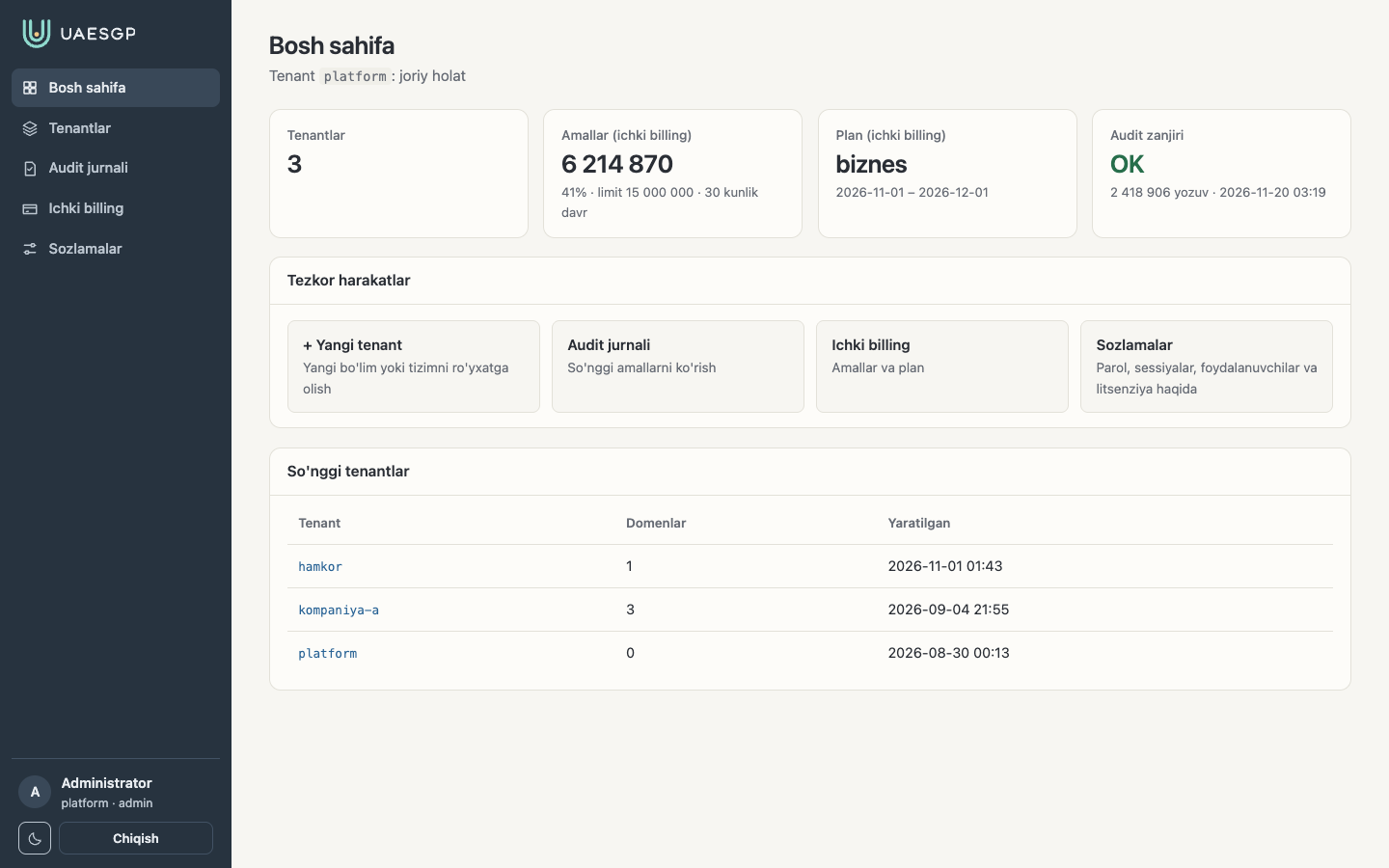
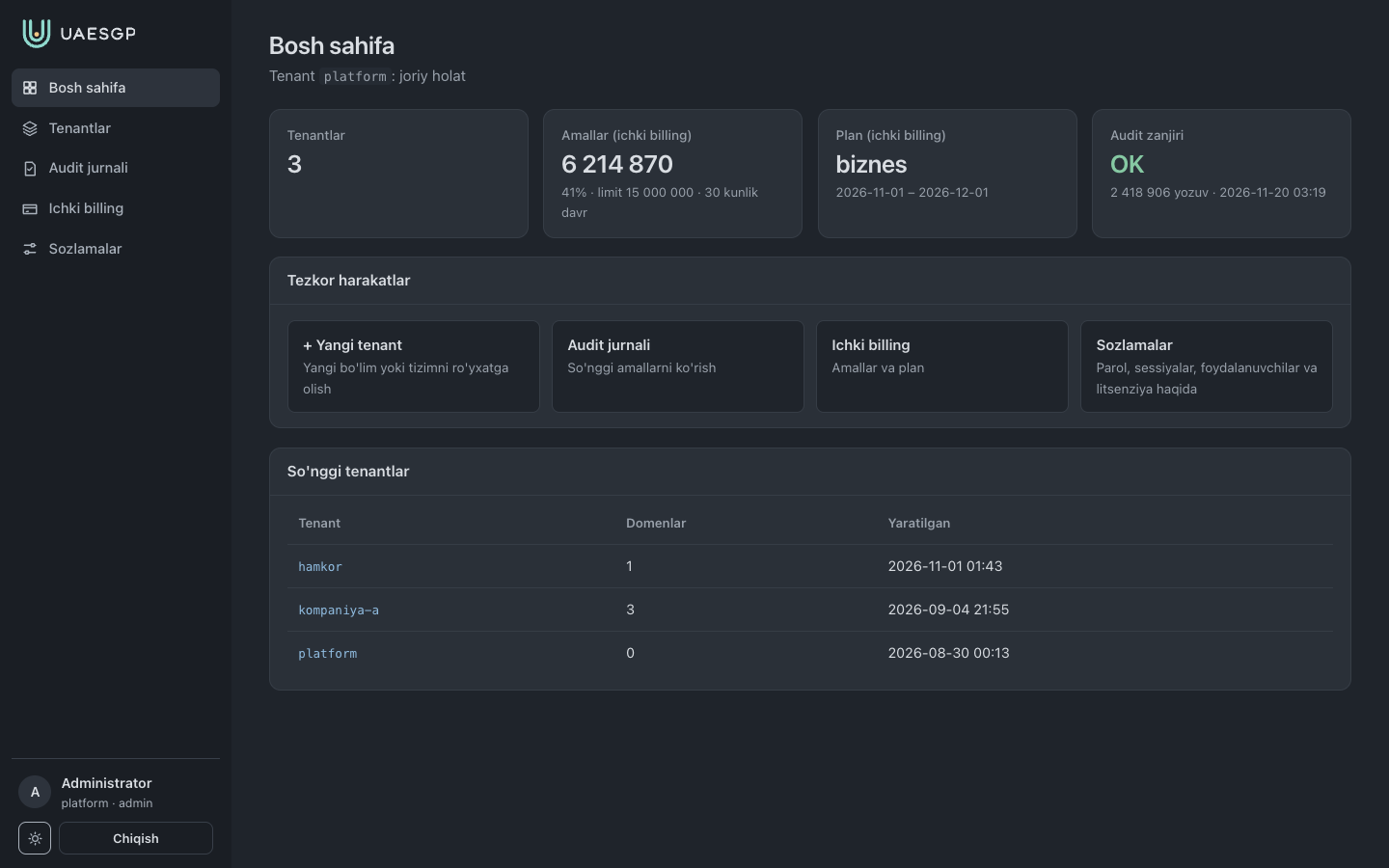
- Depending on your role, you see the number of tenants, this month's operations, the plan and the audit chain status (OK or BUZILGAN, meaning broken).
- Quick links: new tenant, audit log, internal billing, settings.
- Recent tenants: newest first, with the number of domains and the creation date.
- If internal billing is not used, which is the default, the operations and plan cards show — with a note. While there are no tenants, a first-steps list appears.
Tenantlar (tenants): list of divisions
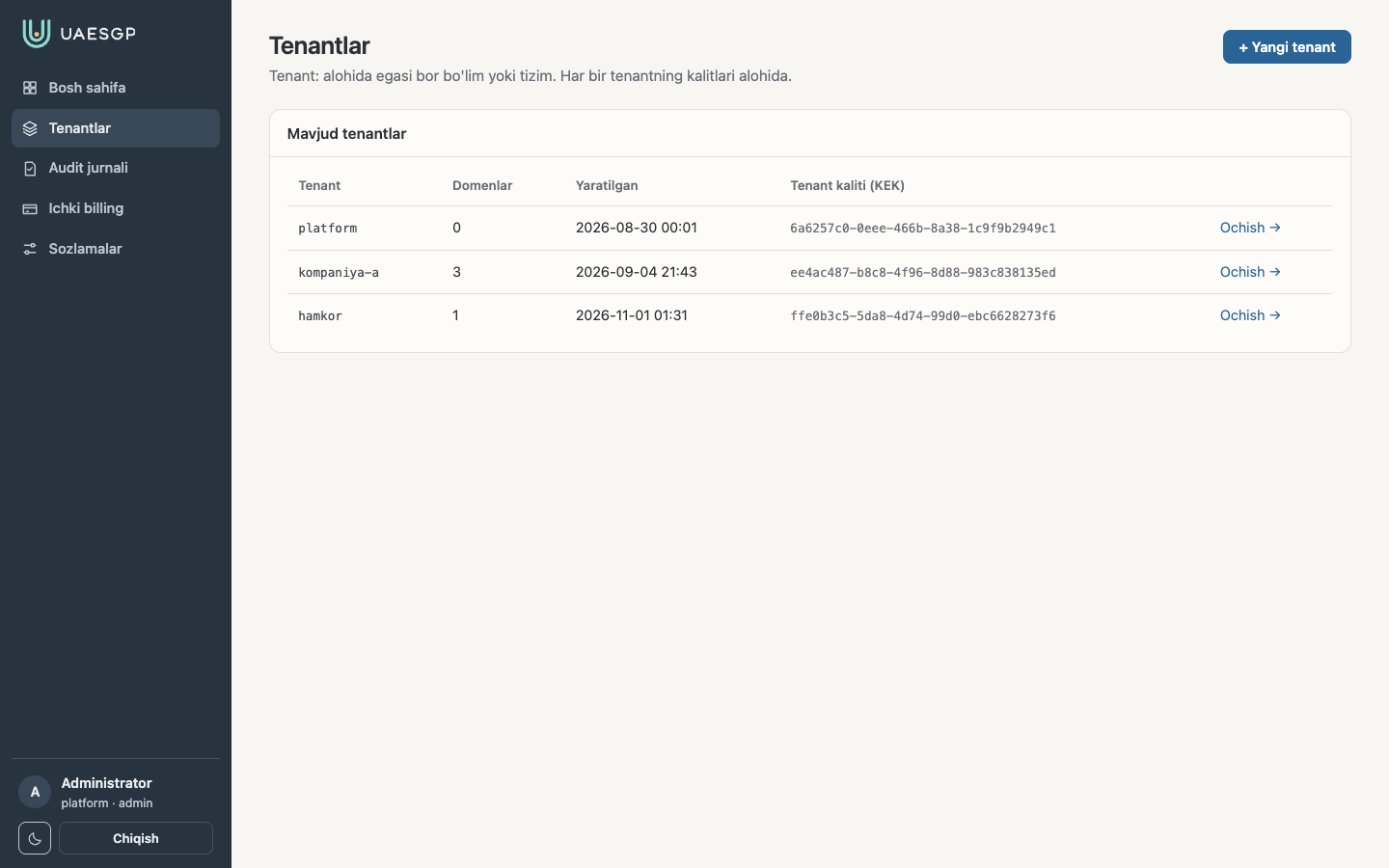
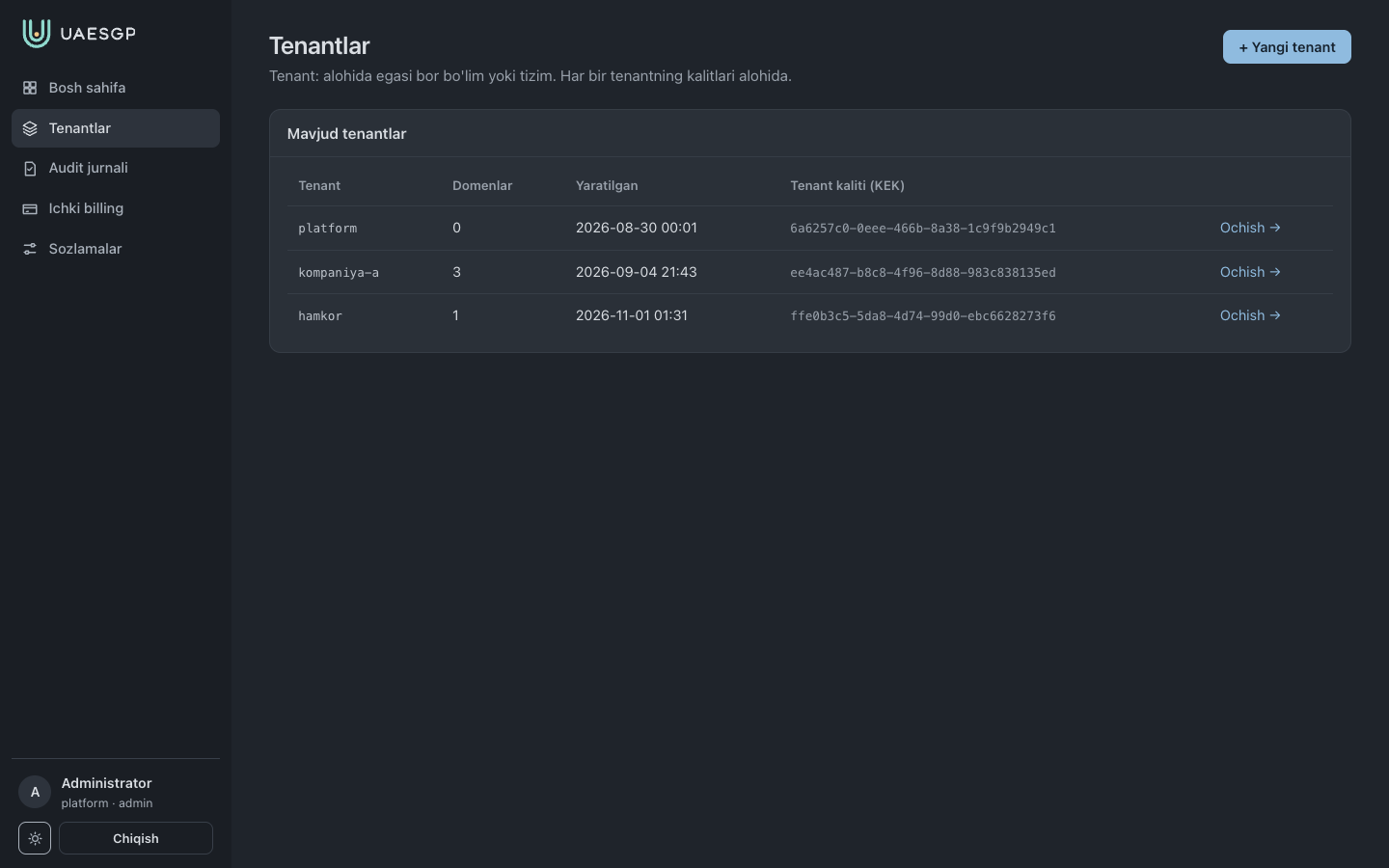
- You see each tenant, its number of domains, its creation date and its tenant key (KEK).
- Operators and admins create new tenants: lowercase letters, digits, hyphens, 3 to 64 characters. The name cannot be changed later.
- From a tenant's row you go to its domains.
Tenant detail: key versions
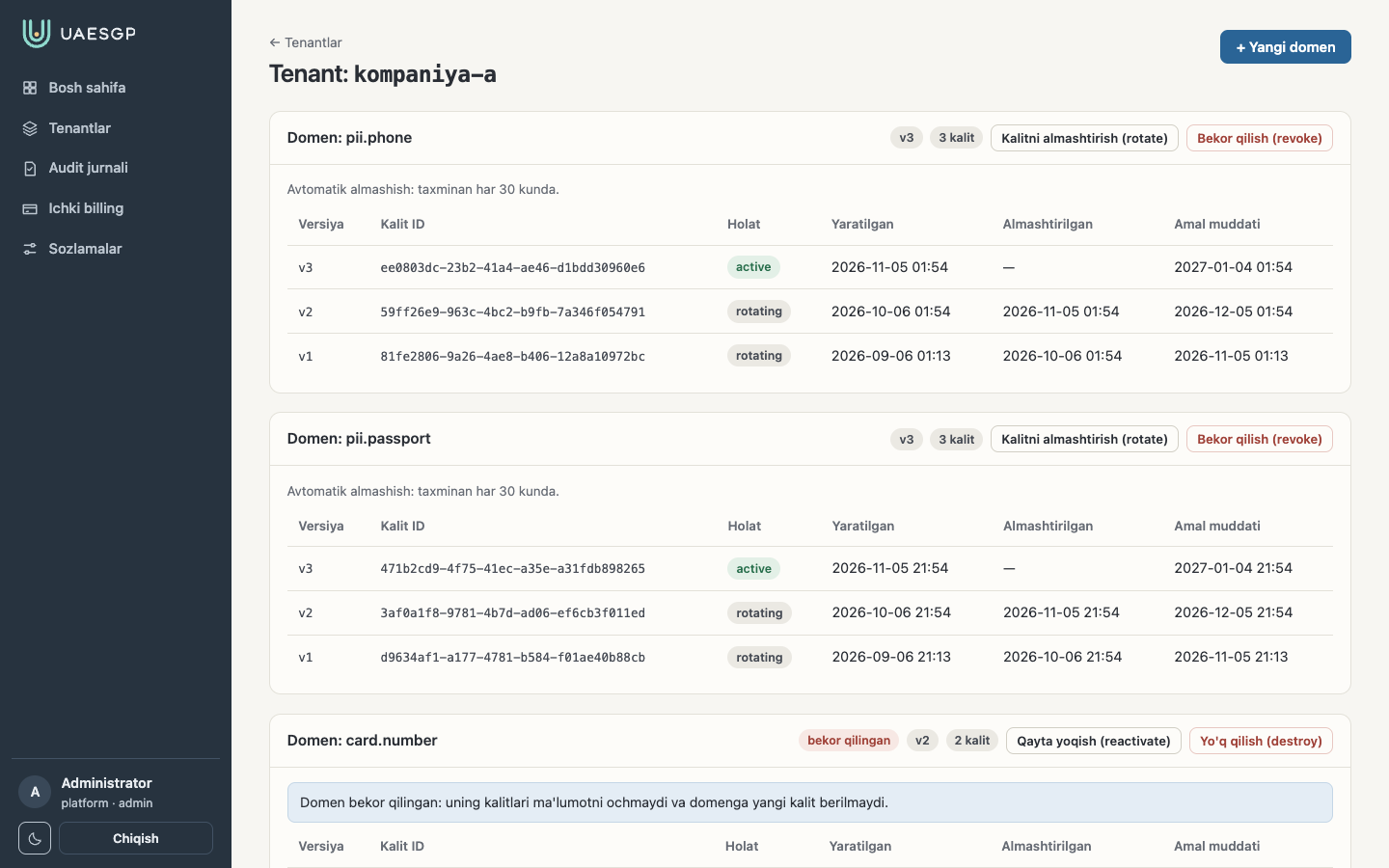
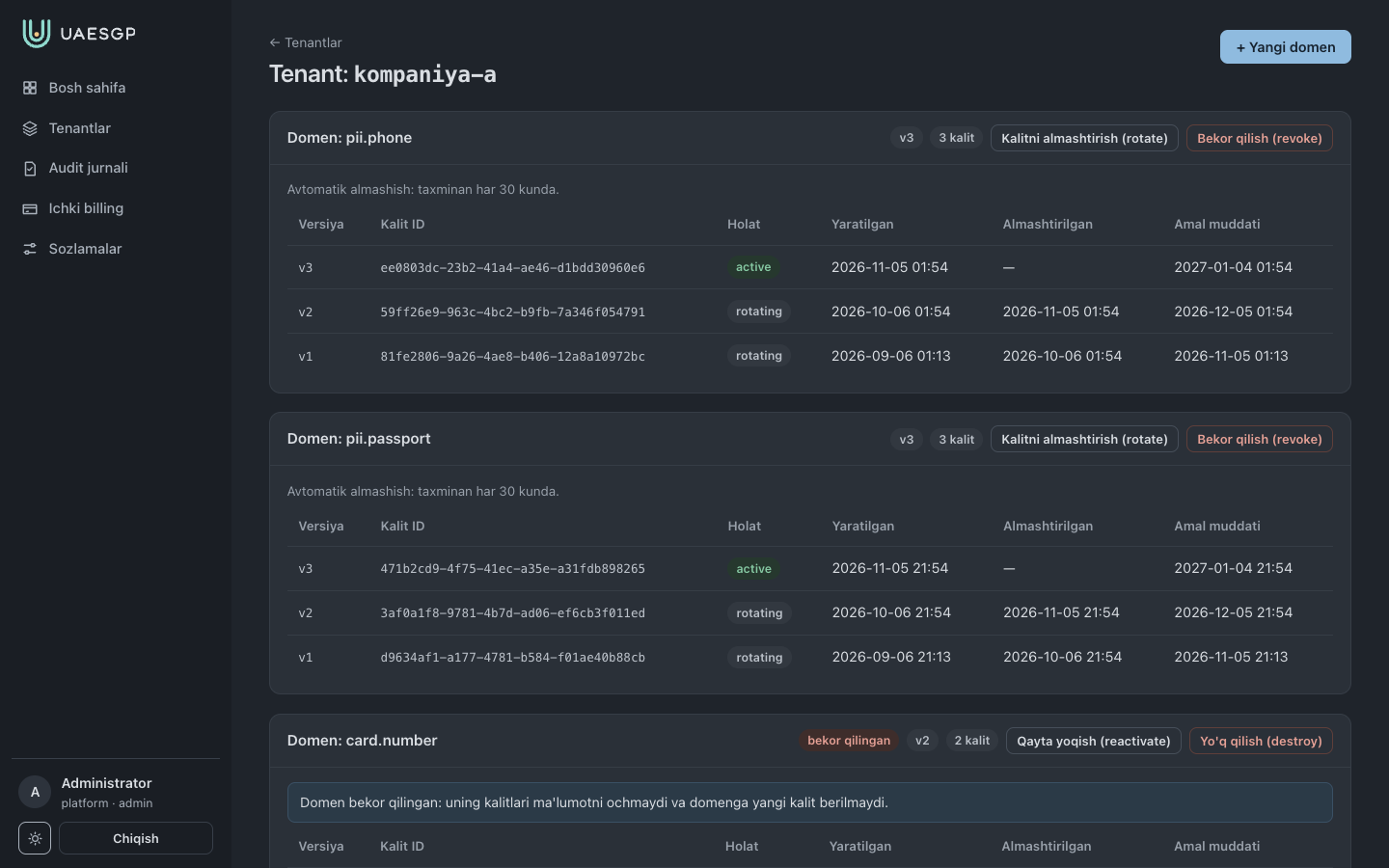
- For each domain you see the version, key ID, state, dates and expiry.
- Operators and admins create a new domain, for example
pii.phone, and create a new key version with “Kalitni almashtirish (rotate)”. - Only an admin can revoke keys: you must type exactly
revoke <domain>and may add a reason. The screen warns that this cannot be undone and which data will become undecryptable. - An admin can reactivate a revoked domain or destroy its key material; both are confirmed by typing an exact phrase. These two buttons have not yet been tested on a real server.
Audit jurnali (audit log): chain and search
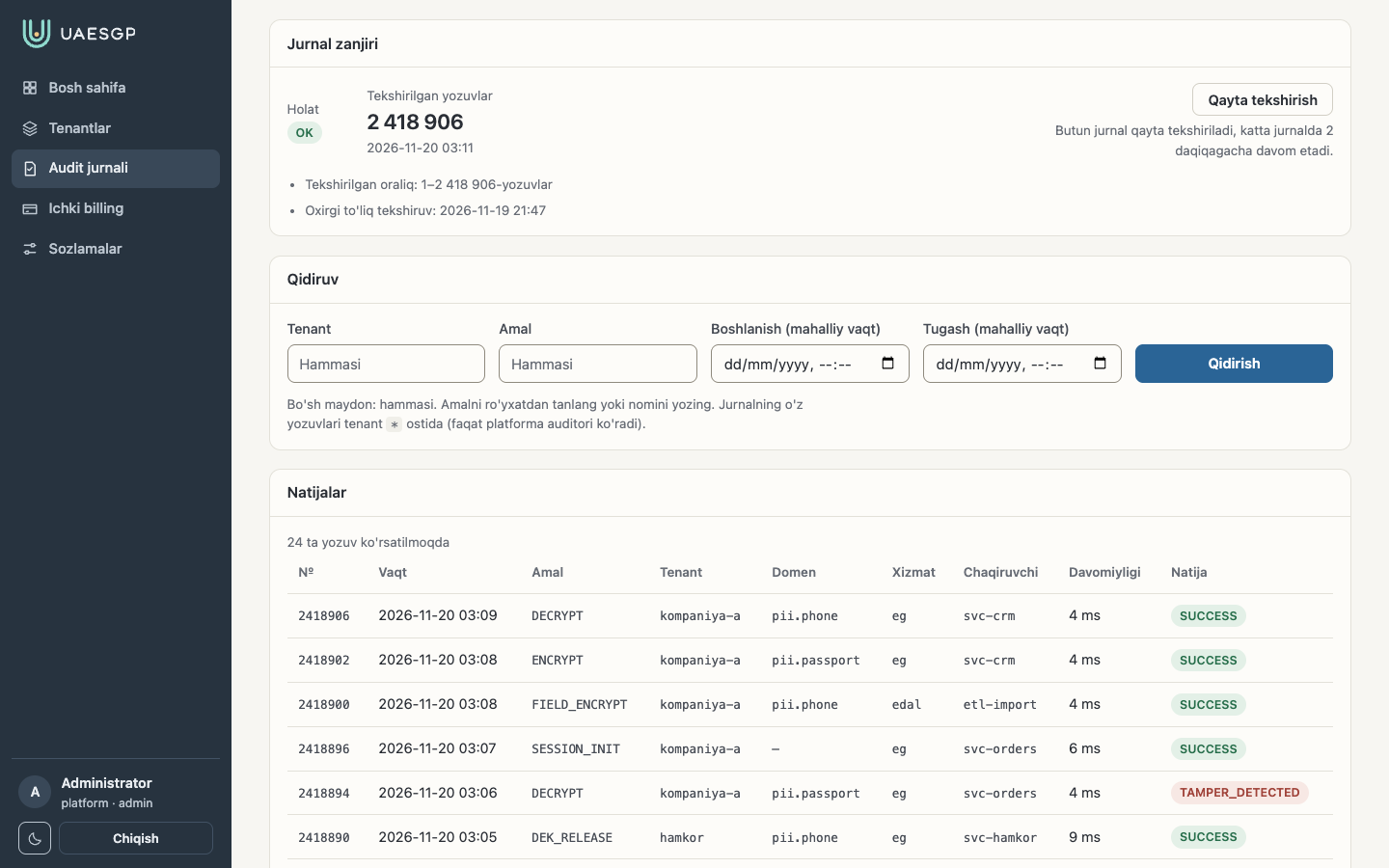
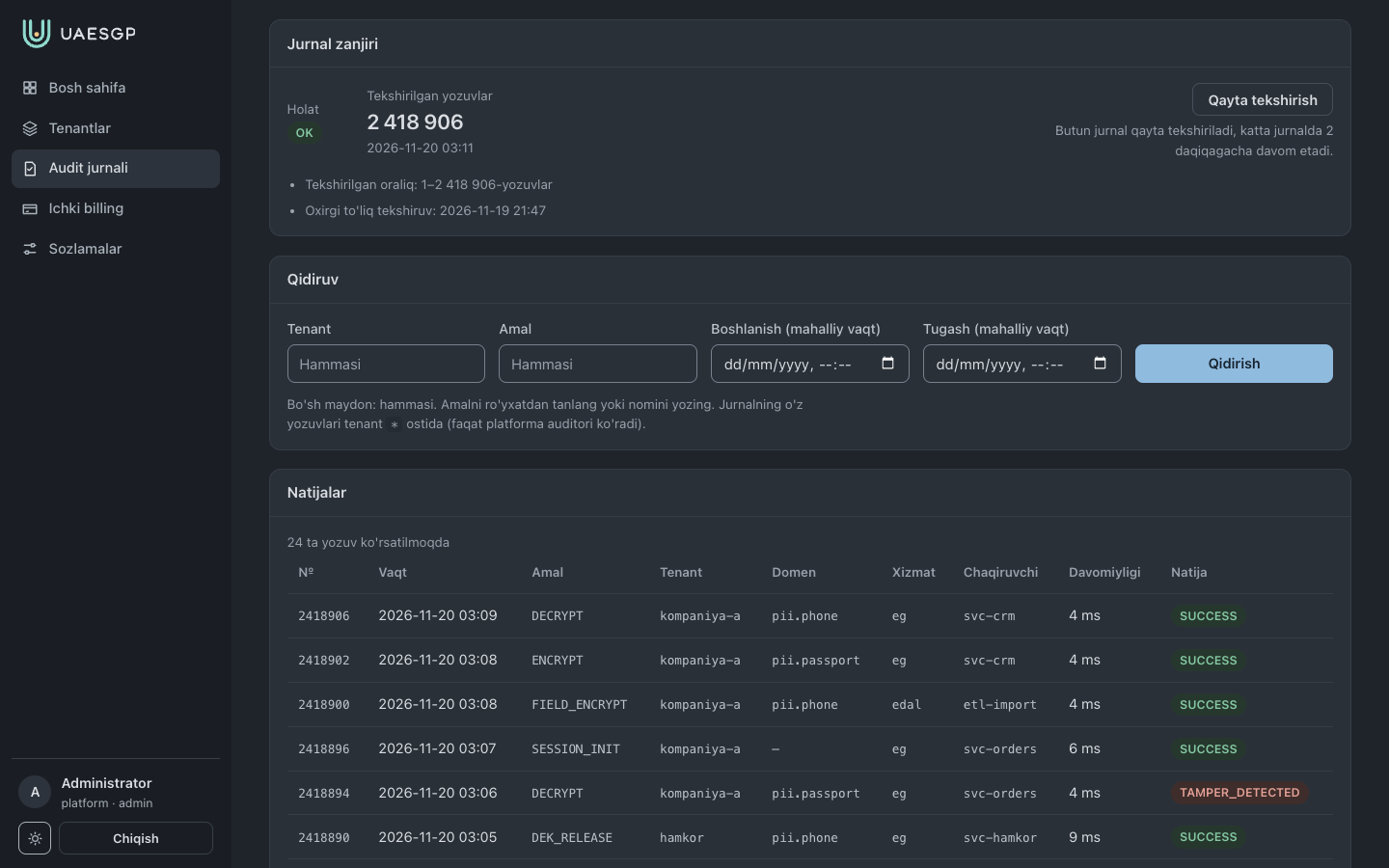
- You see the chain status and start a new check with Qayta tekshirish (re-verify). Broken rows are highlighted in red.
- You search by tenant, operation and time: EG and EDAL operations, KMS denials and the audit service's own records. Each search and re-verification is also logged.
- For auditors and admins only. The platform auditor verifies the chain; a tenant auditor searches their own records.
- There is no export button. Key events do not appear here;
uaesgp-cli kms-verifychecks them.
Ichki billing (internal billing): your internal metering
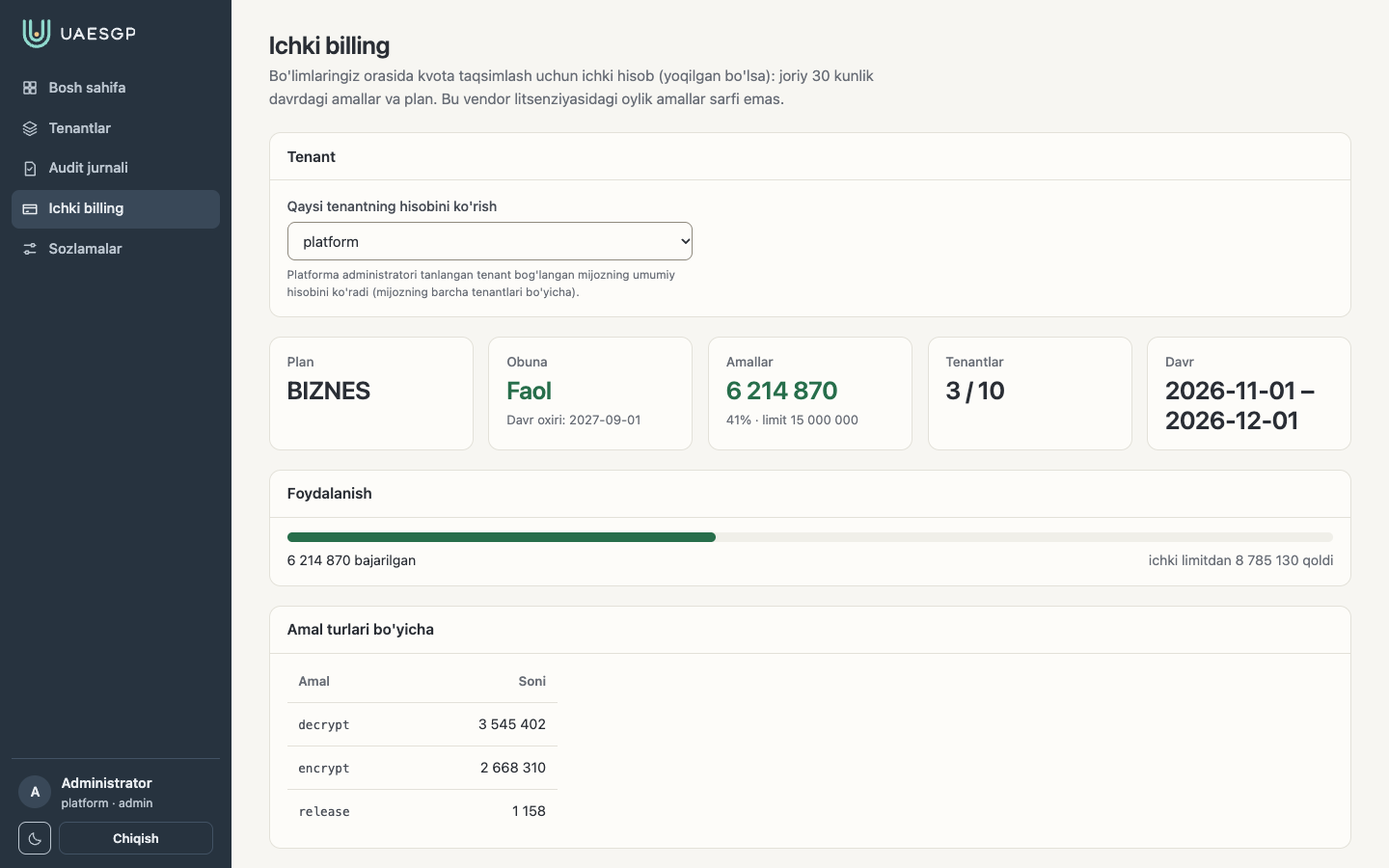
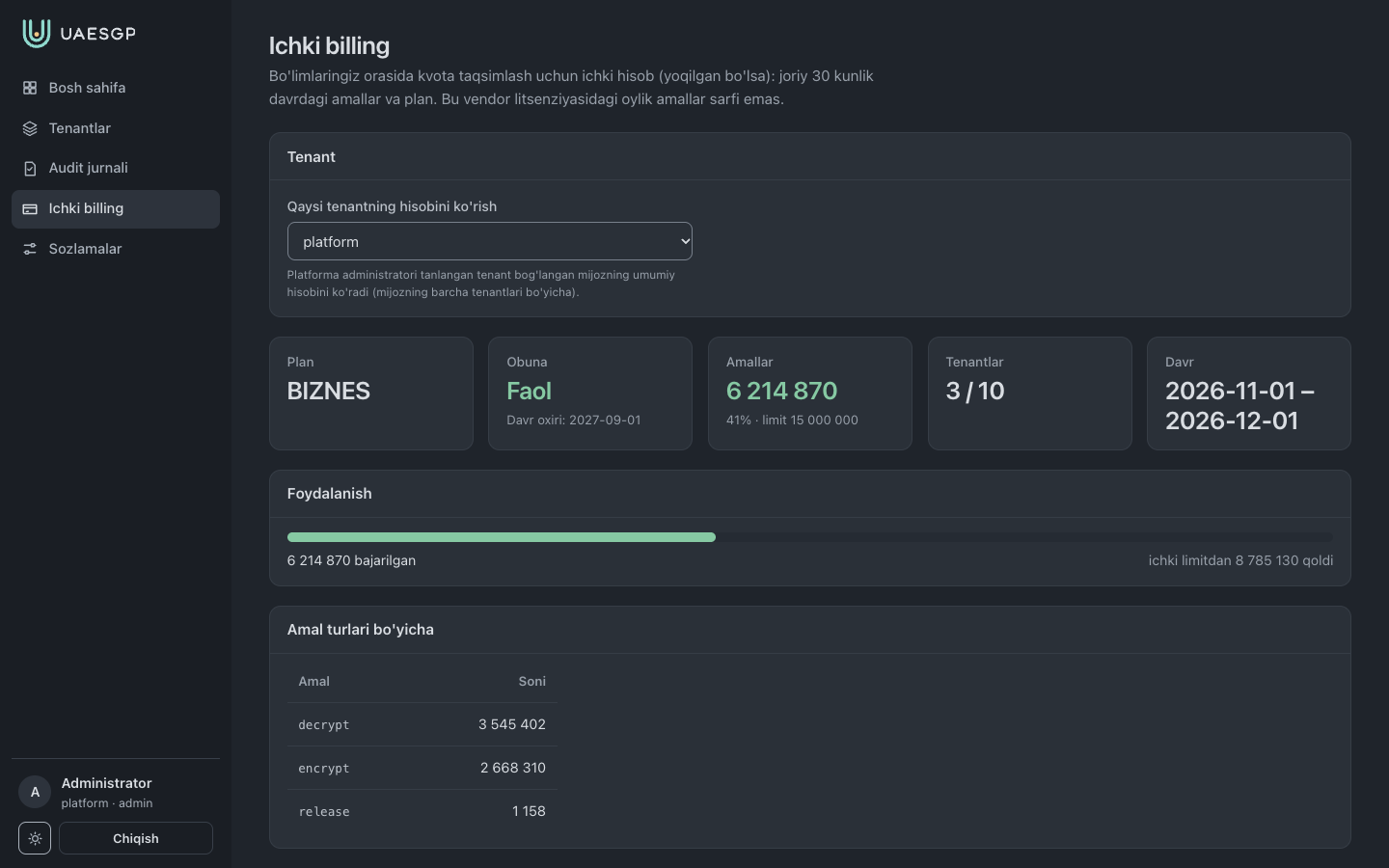
- You see the plan, subscription status, operations used and their share of the limit, tenants, the period and a table by operation type.
- This is not the vendor lease but your own optional billing service. It is for metering and limiting your divisions.
- Not used on a standard deployment, and the screen explains that this is not an error. A platform administrator picks which tenant's account to view.
- Customers, plans and API keys are managed only through
bin/billing-cli. This service takes no money.
Sozlamalar (settings) and account
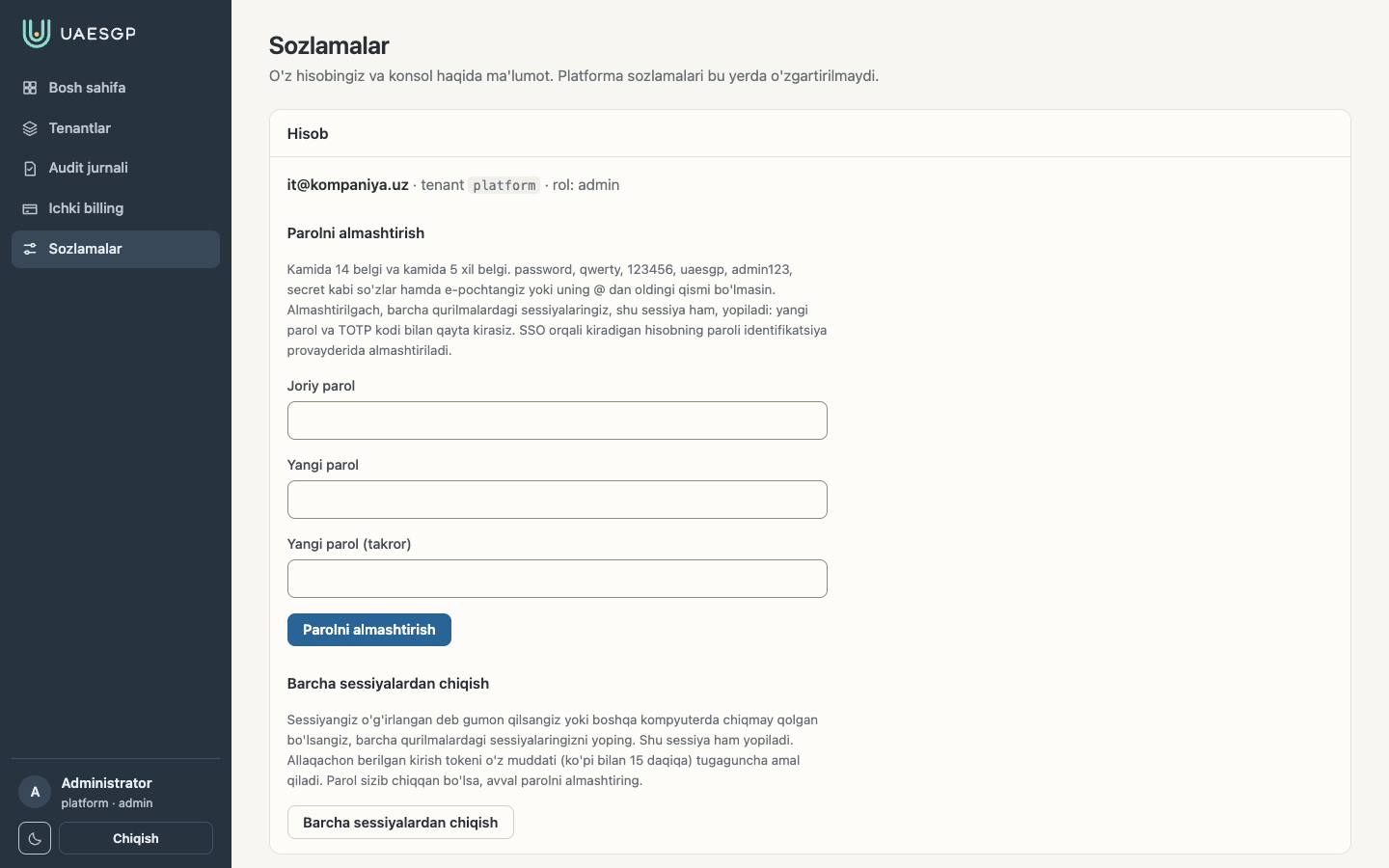
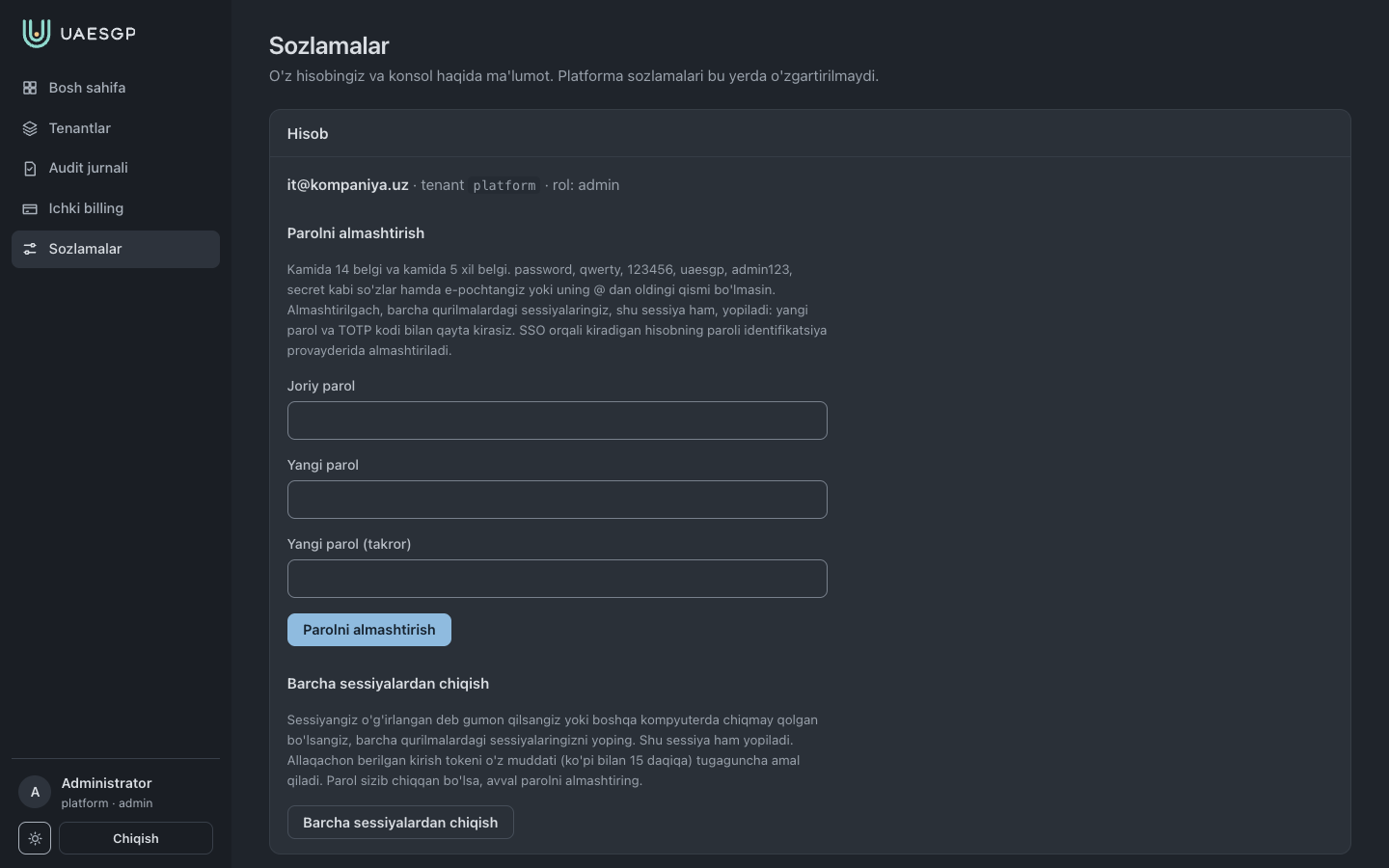
- You change your own password and sign out of all sessions. Roles other than admin do this on the Hisob (account) page.
- Session rules are shown: 15 minutes of inactivity, 12 hours at most. Licence and usage-lease state is not shown in the console; you check it with a command on the server.
- Platform settings are not changed on this screen.
Work the console does not cover is done on the command line
| Task | Tool |
|---|---|
| Adding users, locking them, resetting MFA, roles | make auth-user, make user |
| Verifying the KMS log | uaesgp-cli kms-verify |
| Client certificate | make client-cert NAME=crm |
| Opening Grafana, Prometheus, Kibana | make monitoring-on, then an SSH tunnel |
| Backup and restore | make backup, make restore |
| Billing customers, subscriptions, API keys | bin/billing-cli |
| License status | Logs and uaesgp_license_* metrics. There is no metric for remaining operations. |
14 containers run on one host, and high availability is not provided
Delivery is one archive without source code. Docker Compose on one Linux server: 6 UAESGP services and 8 standard components. High availability means the service continues even when one server stops. This deployment does not have it.
| Container | Purpose and what it stores | Plaintext |
|---|---|---|
| UAESGP services, 6 | ||
eg | Encryption gateway. Does not use Postgres; sessions and counters are in Redis. | Present during a request |
kms | Key service. Wrapped keys and kms_audit in the uaesgp_kms database. Can derive every key. | No |
audit | Audit log. Caller, IP, tenant, domain, key id and result in the uaesgp_audit database. | No |
billing | Your optional billing service, uaesgp_billing. By default the EG does not call it. | No |
auth-svc | Admin login and MFA. Argon2id hashes and sealed TOTP in the uaesgp_auth database. | No |
admin-ui | The console and its proxy, port 8090. Stores nothing. | No |
| Standard components, 8 | ||
postgres | Platform databases. Your application database is not here. | No |
redis | Sessions, nonces, JTIs, counters, audit queue. A person with write access can delete replay records and counters. | No |
elasticsearch | Logs and an audit copy, with IPs and user ids. A new index opens every day: logs are kept for 90 days and the audit copy for 365 days, then deleted. The periods can be changed. | No |
logstash | Log stream. Writes the audit copy to Elasticsearch. | No |
kibana | Log viewing, over an SSH tunnel. No ready-made views. | No |
prometheus | Metrics, kept for 30 days. | No |
alertmanager | Alert delivery. Receivers are empty by default. | No |
grafana | One panel, 7 indicators. | No |
There are also one-off jobs (kms-migrate, audit-migrate, auth-migrate, es-setup) and the service job audit-archive. Enabled optionally with COMPOSE_PROFILES: edal, apigw and proxy. edal and proxy also see plaintext during a request. The vendor server, license-vendor, does not run on your side.
-
One server
The bundle is built for one server. If the server stops, both encryption and decryption stop.
High availability, multiple servers Not yet available
-
Three different copies
make backupencrypts the five platform databases. The root key is not in it: you keep that offline, in two places. Your app DB backup is yours to run.Encrypted backup and restore Tested on a clean serverRoot key copy with
tarandage, opened on another computer Tested on a clean server -
Restore on a new server
The offline keys go back first, then
install.sh, the five databases andmake smoke. If an old envelope opens, the restore is right.Restore from backup: all five platform databases, 38 seconds Tested in the labFull restore on a separate server Not yet tested
-
Keys made after the backup
Keys created after the backup are lost, and data encrypted with them does not open. Repeat any revokes made after the backup.
A record from before the backup opened; one from after it did not Tested in the lab
-
If the offline copy is gone too
If the root key copy is lost, nobody can bring the data back, the vendor included.
install.shcreates new keys and the old data stays closed.
Requirements
| Requirement | Value | Note |
|---|---|---|
| RAM | 12 GiB recommended | The installer warns below 10 GiB. The memory limits of the 14 containers add up to 9.375 GiB, with no swap. |
| Disk | 50 GiB recommended | The installer warns below 30 GiB. |
| CPU | Not yet measured | The documentation gives no minimum figure. |
| Ubuntu 24.04, arm64 | Tested on a clean server | Installation, login, backup, restore, upgrade and monitoring have passed here. |
| amd64, Docker lab | Tested in the lab | On 9 November 2026 installation, smoke, backup and restore, Elasticsearch, Logstash and Prometheus passed. |
| Physical or virtual amd64 server | Not yet tested | Not yet tested. If your server is amd64, check this first in the pilot. |
| RHEL 9+, SELinux | Not yet tested | The guide lists Ubuntu 22.04+ and RHEL 9+, but the full test was on Ubuntu 24.04. |
| Software | Docker Engine, Compose 2.24.4+ | make, bash, OpenSSL 3 and, for backup, age. |
| Server firewall | Not yet tested | The installer adds the uaesgp-console-guard systemd service and an iptables rule that blocks the console from Docker networks. This part is not yet tested. |
| Inbound ports | 8443, 8444, 8090 | 8443: public TLS for browsers and mobile. 8444: mTLS for server applications, internal network only. 8090: console, admin network only. |
| Outbound port | 443 | To the vendor license server. Not needed in air-gapped mode. |
What is not provided
- Not yet available
High availability, multiple hosts, Kubernetes
The Compose files are for one host and one instance of each service. The code can support several instances, but the files do not provide them. A cluster is a separate project: it needs external Postgres and Redis and
max_replicasin the license. - Not yet available
UAESGP host disk encryption
The platform does not set this up. It is your infrastructure work.
- Not yet available
Network DDoS protection
This layer is handled in your network.
- Not yet available
External penetration test
All audits are internal. An external penetration test has not yet been carried out.
- Not yet available
Certification and national algorithms
No certification of any kind and no O'z DSt algorithms. Full details on the Security status page.
Availability also depends on the vendor: if the usage lease runs out, decryption stops. If the vendor server cannot be reached, the system works until the lease term (72 hours by default) or the operations block runs out. Get the recovery commitment written into the contract.
Check this list on your own test server
The pilot is free for one month, with 10,000 operations a month, in a test environment. You encrypt one of your own columns and check the statements on this page on your own server.
If no mail app opens, write to this address: ogabekkadirov.dev@gmail.com