Sensitive data, encrypted in the database, in the API and on its way to partners
UAESGP encrypts the sensitive data you choose: database columns, the whole JSON body of API requests and responses, values coming from browser and mobile apps, data sent to partners, and existing records in the database (full list). Keys are kept apart from the data, the database and the application. Data and keys stay in your own infrastructure; for metering, only license data goes to the vendor server.
If no mail app opens, write to this address: ogabekkadirov.dev@gmail.com
What has been tested and what has not is stated openly, with a date: status as of 19 November 2026.
| id | phone | passport |
|---|---|---|
| 1 | Uzss1FBALb24NHEx8dtjHqI= | RPfHufRbI6ZqJQ== |
| 2 | CdCCpMFLoAptLJ/7bd3bQnc= | bKF3DsxNu2TX+w== |
| 3 | PvWt3amKrpt8XHrRVTDo7IQ= | EwfwcpnUVIyZvQ== |
The selected columns hold ciphertext, and the key is not in the database. Other columns such as id stay as they are. Each cell stores the encrypted value and its verification fields; only the encrypted part is shown here.
sudo ./install.sh, 5 questions, 9 stages. No source code or build tools needed.
Status: 19 November 2026. Clean server: Ubuntu 24.04 arm64. amd64 was tested in a Docker lab, not yet on a physical or virtual amd64 server. Full status record
What UAESGP protects
UAESGP encrypts more than database columns. The database, the API response, the path from an app to your backend and the path to a partner all receive an envelope instead of the plaintext value, and the keys stay apart from the data. The test status of each path is shown next to it.
-
Database fields
Your app has EG encrypt the value before it is written, so the chosen column holds only an envelope.
Node.js SDK: encryption, then decryption of the stored value Tested on a clean serverEDAL: encrypting and decrypting a column Tested on a clean serverJSON proxy, from the bundle (field mode) Tested on a clean serverPostgreSQL extension, from the bundle Not yet tested
-
API requests and responses
The whole JSON body of a request or response goes into one envelope, so no field is visible on the network or in queues.
Sealing a whole body in one envelope (12 SDKs, proxy
whole_body) Unit tested -
Browser and mobile apps
The device opens a session with EG, has the value encrypted and sends only the envelope to your backend; no key ships inside the app.
SDKs: browser TypeScript, React Native, Android, iOS Not yet tested
-
Sharing with partners
A partner receives an envelope instead of open data and can open it only in the way you allow.
apigw: a partner's signed request Tested on a clean serverPartner key release Unit testedThe full flow of key release to a partner Not yet testedThe three paths when the partner also runs UAESGP Not yet tested
-
Backups and keys
Platform backups are written already encrypted with age. Keys in those databases are wrapped before any backup, and the root key is not in the backup: it is kept separately.
Encrypted backup and restore Tested on a clean serverYour own database backup keeps protected columns as envelopes
- Database columns. Fields such as a phone, passport or card number are written as envelopes through the application SDK. Node.js was tested on a clean server, the other SDKs against a test serverTested on a clean server
- With few application changes. The EDAL API for databases and ETL, the JSON proxy for older systems. No path leaves the code completely untouchedTested on a clean server
- PostgreSQL extension. A trigger encrypts writes, and reads go through
uaesgp_decrypt. Not yet run from the archiveNot yet tested - Whole API request and response. The JSON body goes into one envelope without being split into fields, and counts as 1 operation whatever its size. Available in 12 SDKs and the proxy, not yet tested on a live EGUnit tested
- Browser and mobile apps. The value is encrypted at the EG over TLS, and your backend receives only the envelope. No key is placed on the deviceNot yet tested
- Existing records in the database. Migration tools exist for PostgreSQL and Django. On other stacks you write the script yourselfNot yet tested
- Checking partner requests. A partner sends a signed request to your API, and apigw checks the signature, the time and a one-time nonceTested on a clean server
- Sending envelopes to a partner. The partner opens one only with a domain you allow: through key release or through your EG. If the partner also runs UAESGP, there are three waysNot yet tested
- Search on an encrypted field. A search token for exact match (EDAL, PostgreSQL). Equal values give equal tokensUnit tested
- Platform backups.
make backupwrites the key, audit and user databases encrypted withageTested on a clean server - Keys apart from the data. A root key, a tenant key and a data key. Neither the application nor its database holds a data keyTested on a clean server
Plaintext exists in the application that sent the value, in the UAESGP services (EG, EDAL, proxy) while the request runs, and in the application allowed to decrypt it. An envelope leaves the tenant, domain, key number, time and size readable. More: how it works and limitations.
A separate path for each role
Chief Information Security Officer (CISO)
Which threats are closed, which stay open, who holds the keys, what depends on the vendor.
SecurityChief Technology Officer (CTO)
Installation, requirements, backup, monitoring, the usage lease and what happens in an outage.
PlatformDeveloper
Laravel, Django and Node.js code, the status of 12 SDKs, changes to columns and queries.
DevelopersCompliance officer
Audit trail, where data resides, which duties stay with you. A dated status record.
Status recordDisk encryption does not stop someone who can run a query
Disk encryption and TDE (a mode that encrypts database files) protect the disk. While the database is running, they return plaintext values to queries. For database columns, UAESGP encrypts the value before it reaches the database, so the database cannot decrypt it on its own. The two are used together.
-
The application database disk
If the disk is stolen, the protected column holds only envelopes. The key that opens them is not on this disk.
Three-level key structure, with a software root key Tested on a clean server
-
A dump or logical backup
A dump is taken through SQL, so under TDE it comes out as plaintext. An envelope stays an envelope in the dump.
-
The database administrator
In SDK mode the database administrator sees only envelopes and wrapped keys, but can still delete a row or restore an old value.
PostgreSQL extension, from the bundle Not yet tested
-
SQL injection that pulls the table
An injection that dumps the table directly gets only envelopes, because the key is not in the database.
Moving an envelope to another row: rejected Tested on a clean server
-
When the application decrypts
An injection that makes the application decrypt, or a compromised application server, gets plaintext. Every decryption is logged. If the application server is compromised →
-
The UAESGP server disk
The software root key and the KMS database share one disk. Taken together, they expose every key: encrypt that disk.
HSM (PKCS#11) path Not yet tested
-
What stays visible anyway
Unencrypted columns stay readable. An envelope shows the tenant, domain, key number, time and size; a search token shows equal values.
Equality search token Unit tested
| Incident | Disk encryption or TDE | UAESGP, selected columns |
|---|---|---|
| The application database disk is stolen | Encrypted | Envelope |
| A database dump or logical backup leaks | Plaintext | Envelope |
| A database administrator (DBA) reads the column through SQL | Plaintext | Envelope |
| SQL injection pulls the table, and the application does not decrypt the result | Plaintext | Envelope |
| SQL injection makes the application decrypt and return the value | Plaintext | Plaintext Every decryption is logged but not blocked. |
| The application server is compromised | Plaintext | Plaintext The attacker decrypts while present on the server. The server holds no data key, and access can be cut off. |
| The UAESGP server disk is stolen | Encrypted, if enabled | With the software root key, it does not protect this on its own. The thief also needs the envelopes from the application database. Encrypt the disk |
| Visible in every case: unencrypted columns; next to the envelope, the tenant (a division with its own key), the domain (a data type with its own key), the key number, the time and the size; equal values in a search token. | ||
Only the encrypted envelope reaches the database, and the keys are kept apart from it
Your application sends the value inside TLS to the EG (Encryption Gateway). The EG returns an envelope: JSON holding the encrypted value, the key number and verification fields. That envelope is what gets written to the database. A separate service, the KMS (Key Management Service), stores the keys. API bodies, browser apps and the partner paths use the same envelope and the same keys.
The diagram continues to the right: scroll sideways →
Write
The application calls encrypt. The EG encrypts the value with a data key (DEK) and returns the envelope. The EG uses the plaintext for the request and writes it nowhere.
Store
The application writes the envelope to the column. The envelope is much larger than the value, so the column must be text or jsonb. No key is kept in the database.
Read
An allowlisted application sends the envelope to internal port 8444. After three checks the EG returns the plaintext and records the operation in the audit log. No plaintext enters the log.
Keys come in three levels: the root key (RMK) wraps the tenant key (KEK), and the KEK wraps the data key (DEK). Databases hold only wrapped keys. Each tenant and domain has its own key. By default the DEK rotates every 30 days and the KEK every 90 days. Unit tested
Change one bit and the ciphertext will not decrypt
This panel runs real AES-256-GCM in your browser. It shows the principle: it does not connect to UAESGP and is not the product itself. The text you type does not leave your browser.
Type some text, flip one bit, then try to decrypt. Flip it a second time and the bit returns to its place, so the text decrypts again.
In the product, the EG puts every envelope through three independent checks: HMAC-SHA256, an Ed25519 signature and the AES-GCM tag. If any one fails, the value is not returned and the application gets 422 TAMPER_DETECTED. Unit tested
Your browser opened this page without HTTPS, so the demo does not work: the encryption tool (WebCrypto) is given only to HTTPS pages. The rest of the page can still be read.
This demo needs JavaScript. The rest of the page can be read without it.
It runs on your own server from one archive and one command
The archive contains the images of our services, the installer, the license, documentation and SDKs. Third-party images such as PostgreSQL and Redis are downloaded during installation. All of these steps have been performed on a clean server. Tested on a clean server
-
Verify and unpack the archive
Use
sha256sumto compare the archive hash with the value you received over a separate channel, then unpack it withtar -xzf. -
Run
sudo ./install.sh5 questions: organization, internal IP, console domain, admin email, first tenant. The installer runs 9 stages. The guide says it usually takes 15-20 minutes, with most of the time spent downloading images.
-
Keep an offline copy of the root key
Copy the
secrets/runtime/.master/folder to a safe offline location. If it is lost, the data is gone and we cannot restore it either. -
Create a tenant and a domain in the console
At
https://<ip>:8090, change the password (at least 14 characters) and turn on TOTP (a one-time code from an app). Then create a tenant and a domain such aspii.phone. -
Verify that it works
sudo make smoke DOMAIN=pii.phoneperforms a real encryption and decryption and checks that the value is not visible in the envelope. Result:Tekshiruv o'tdi(Uzbek for "check passed"). -
Connect the application
Get a certificate with
sudo make client-cert NAME=crm, install the SDK from the archive'ssdks/folder and encrypt your first value.
Server requirements
- Linux, Docker, Compose 2.24.4+,
make, OpenSSL 3,age - 12 GiB RAM and 50 GiB disk recommended
- 3 ports: 8443 for browsers and mobile, 8444 for server applications (mTLS, certificates on both sides), 8090 for the console
- Single server: no high availability (HA); a cluster is a separate project
- The installer adds the
uaesgp-console-guardsystemd service and an iptables rule that blocks the console from Docker networks
- Ubuntu 24.04 arm64Tested on a clean server
- amd64, in the Docker lab (9 November 2026)Tested in the lab
- Physical or virtual amd64 server, RHEL, SELinuxNot yet tested
- Console guard (iptables rule)Not yet tested
Server with internet access
About every 15 minutes, the platform renews its signed usage lease over port 443 from the vendor server, which is our license server. Outbound: license number, instance identifier, service name, version, operation count, binary hash, IP and User-Agent. No data or keys leave. In addition, the services check in with the vendor every 24 hours.
Air-gapped network
You copy the vendor-signed lease.json file to the server yourself. The file is issued for a short term, usually one month. In this mode the vendor does not see the counter. Available on the Enterprise plan.
- Offline delivery of third-party images (
INFRA=1)Not yet tested
You will need to prepare an internal package repository for SDK dependencies.
If the usage lease expires, the monthly limit runs out, or the lease file's term or operation count runs out, both encryption and decryption stop. The default lease term is 72 hours. On a server with internet access, if there is no verified check-in for more than 7 days, all services stop together with the console.
In Laravel and Django one field takes one line of code; these integrations are not yet tested with a real EG
On stacks without ORM integration, such as Node.js, every write and read location that touches the field changes. Colors mean the same in the code: plaintext value and envelope or key domain.
Unit tested The SDK tests passed against a test server in the lab. This code has not yet been run with a real EG.
use Illuminate\Database\Eloquent\Model;
use Uaesgp\Laravel\Casts\Encrypted;

class Customer extends Model
{
    protected $fillable = ['name', 'phone'];
    protected $casts = ['phone' => Encrypted::class . ':pii.phone'];
}

// the column holds the envelope JSON
$c = Customer::create(['name' => 'Aliyev', 'phone' => '+998901234567']);

// on read the SDK decrypts: "+998901234567"
echo $c->phone;
Unit tested The SDK tests passed against a test server in the lab. This code has not yet been run with a real EG.
from django.db import models
from uaesgp.django import EncryptedField

class Customer(models.Model):
    name = models.CharField(max_length=200)
    phone = EncryptedField(domain="pii.phone", null=True)

# the column holds the envelope JSON
c = Customer.objects.create(name="Aliyev", phone="+998901234567")

# on read the SDK decrypts: "+998901234567"
print(Customer.objects.get(pk=c.pk).phone)
Tested on a clean server This exact flow has run on a clean server.
import { Client, Envelope } from '@uaesgp/node';
import { freshSessionJwt } from './token';

const client = new Client({
  gateway: 'https://10.0.0.5:8444',
  tenantId: 'kompaniya-a',
  jwtProvider: freshSessionJwt,
  caPath: '/etc/uaesgp/ca.crt',
  certPath: '/etc/uaesgp/app.crt',
  keyPath: '/etc/uaesgp/app.key',
});

const binding = 'customers|phone|42';
const env = await client.encrypt('+998901234567', 'pii.phone', { aadExtra: binding });
await db.query('UPDATE customers SET phone = $1 WHERE id = 42', [env.toJson()]);

const row = await db.query('SELECT phone FROM customers WHERE id = 42');
const stored = Envelope.fromJson(row.phone);
if (stored.domain !== 'pii.phone' || stored.aadExtra !== binding) throw new Error('wrong row');
const phone = (await client.decryptStored(stored)).toString('utf8');
The work around that one line
- One-time setup. The SDK, mTLS certificates and a function of about 15-20 lines that signs the session token.
- Column type. A 13-byte phone number becomes a 699-byte envelope.
CHAR(13)orVARCHAR(20)cannot hold it. - Queries.
WHERE,ORDER BY,LIKE,JOINand unique indexes do not work on an encrypted column. - Existing records. You encrypt them separately: with
encrypt_plaintext_rowsin Django, and often with your own script on other stacks. - Speed. Every operation is one network call. In the lab (Docker on one computer, EG limited to 2 CPUs, 64-byte and 1 KiB values) about 4,000 operations per second passed without errors. This is not a promise for your server: measure speed on your own server, under your own load.
- Whole JSON body. An API request or response can also be sealed in one envelope without splitting it into fields: 1 operation whatever its size. Not yet tested on a live EG. More
- SDKs. They ship in the archive's
sdks/folder. They are not published in public package registries.
Key status and the audit chain are visible in the console
The screenshots are from the real admin console. The organization, key and numeric data in them are samples, not a real customer.
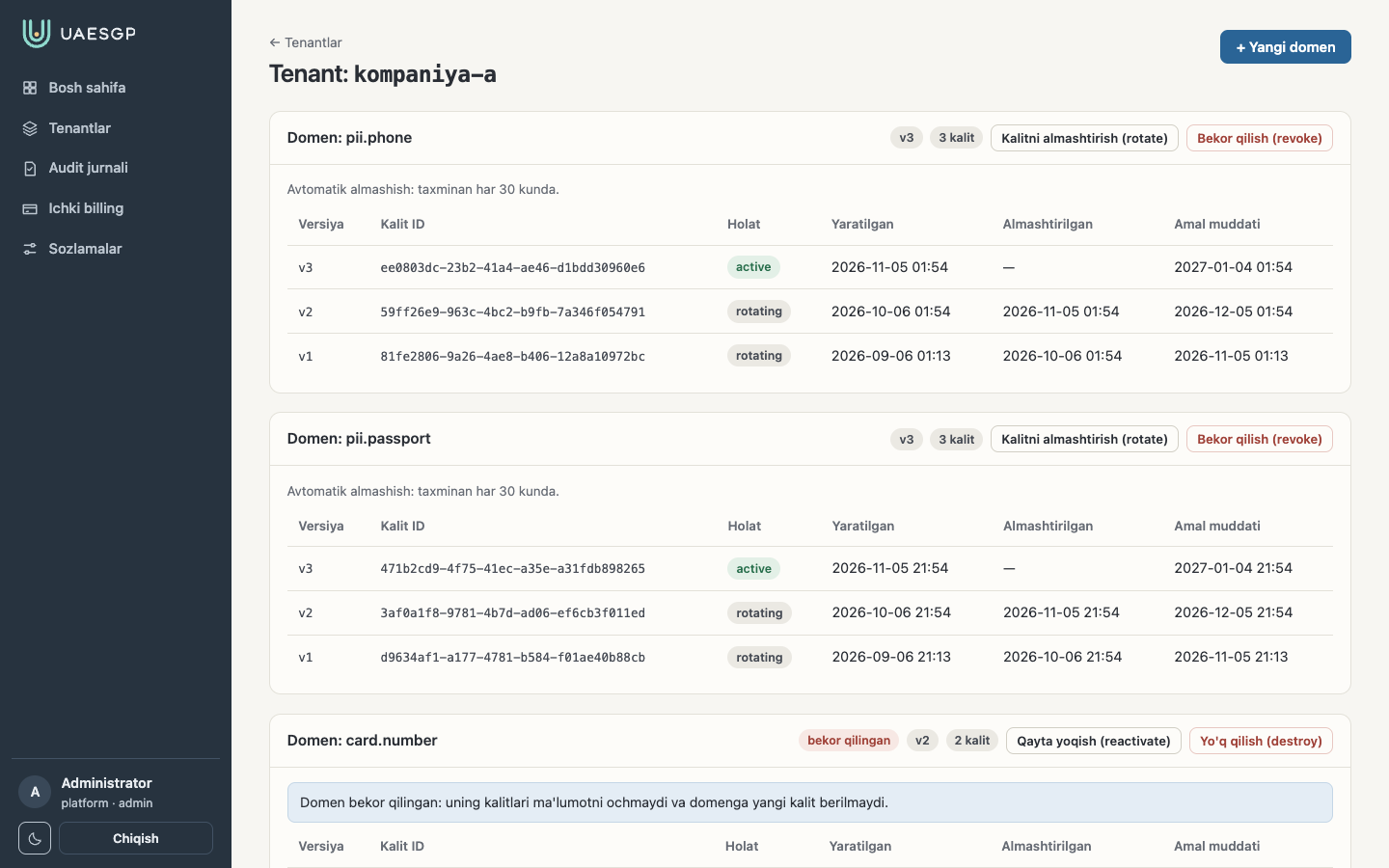
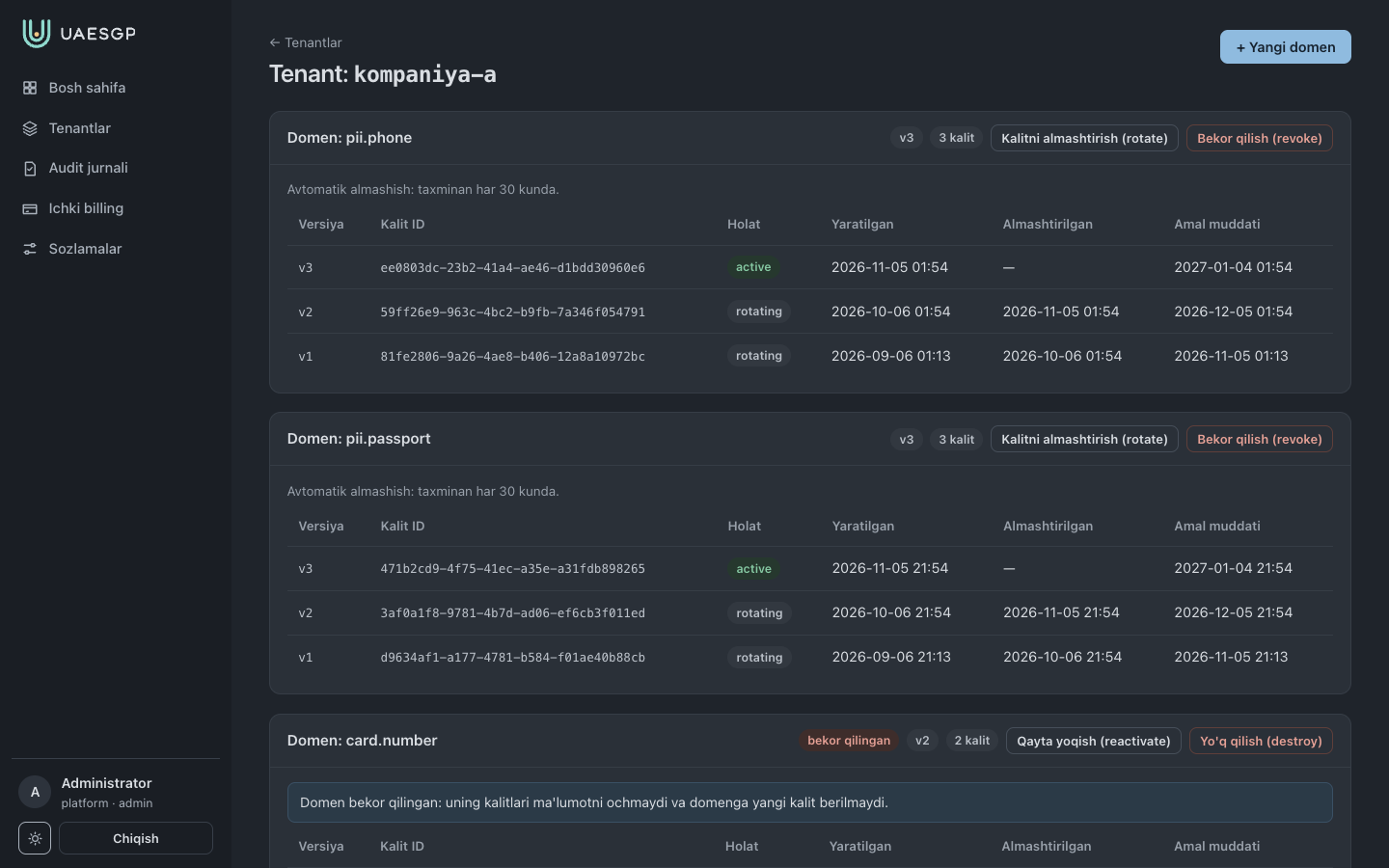
revoke <domain>. Sample data.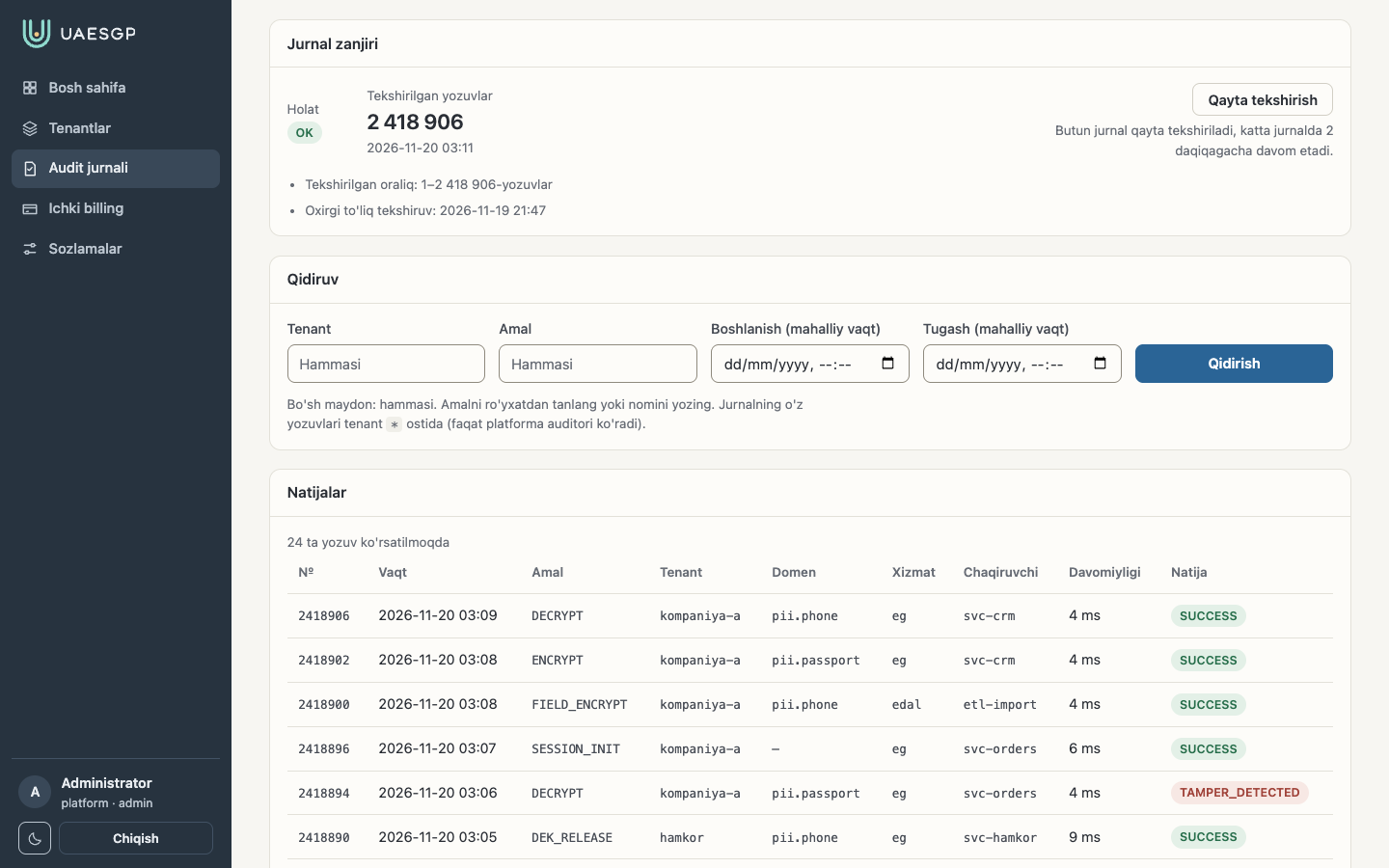
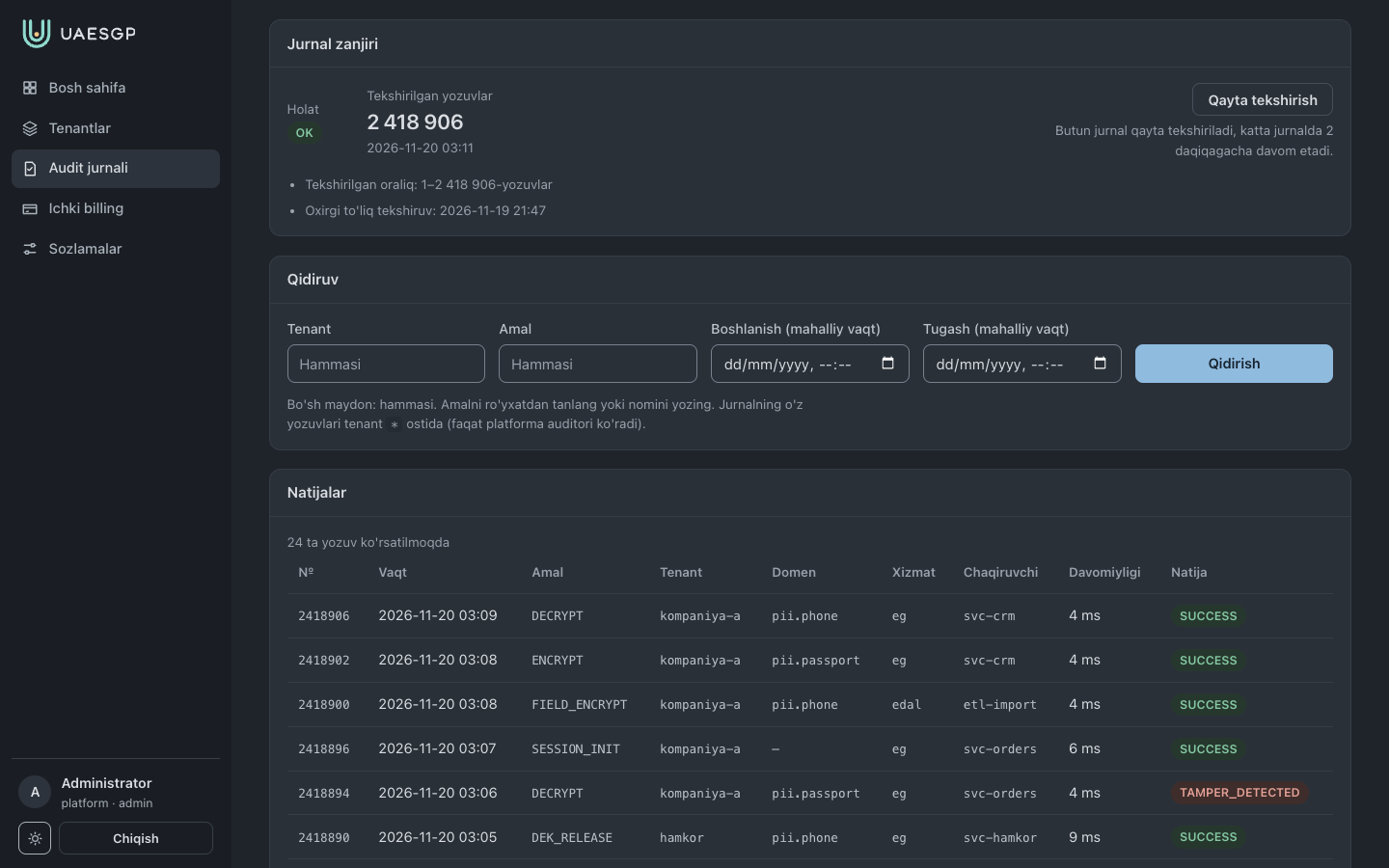
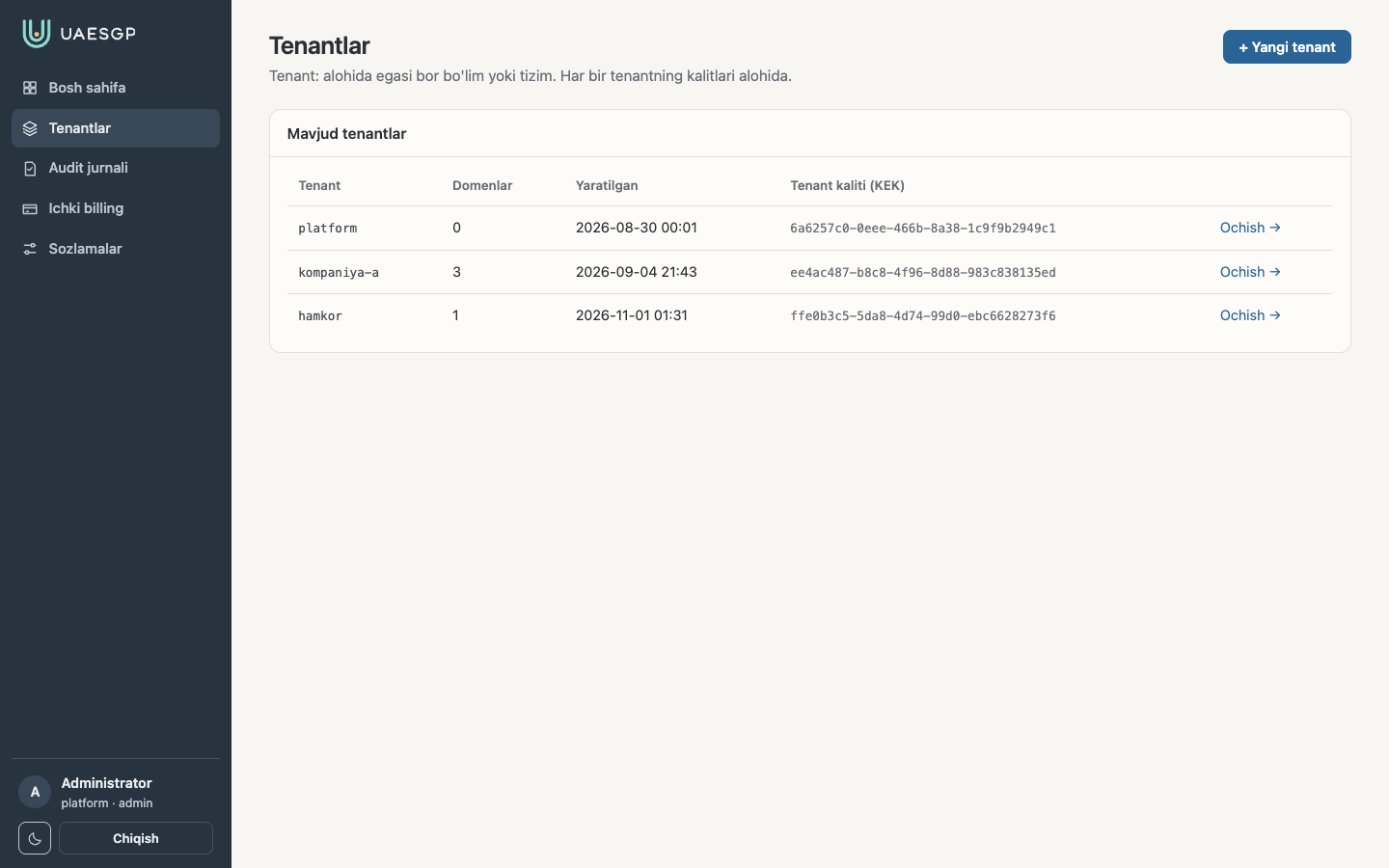
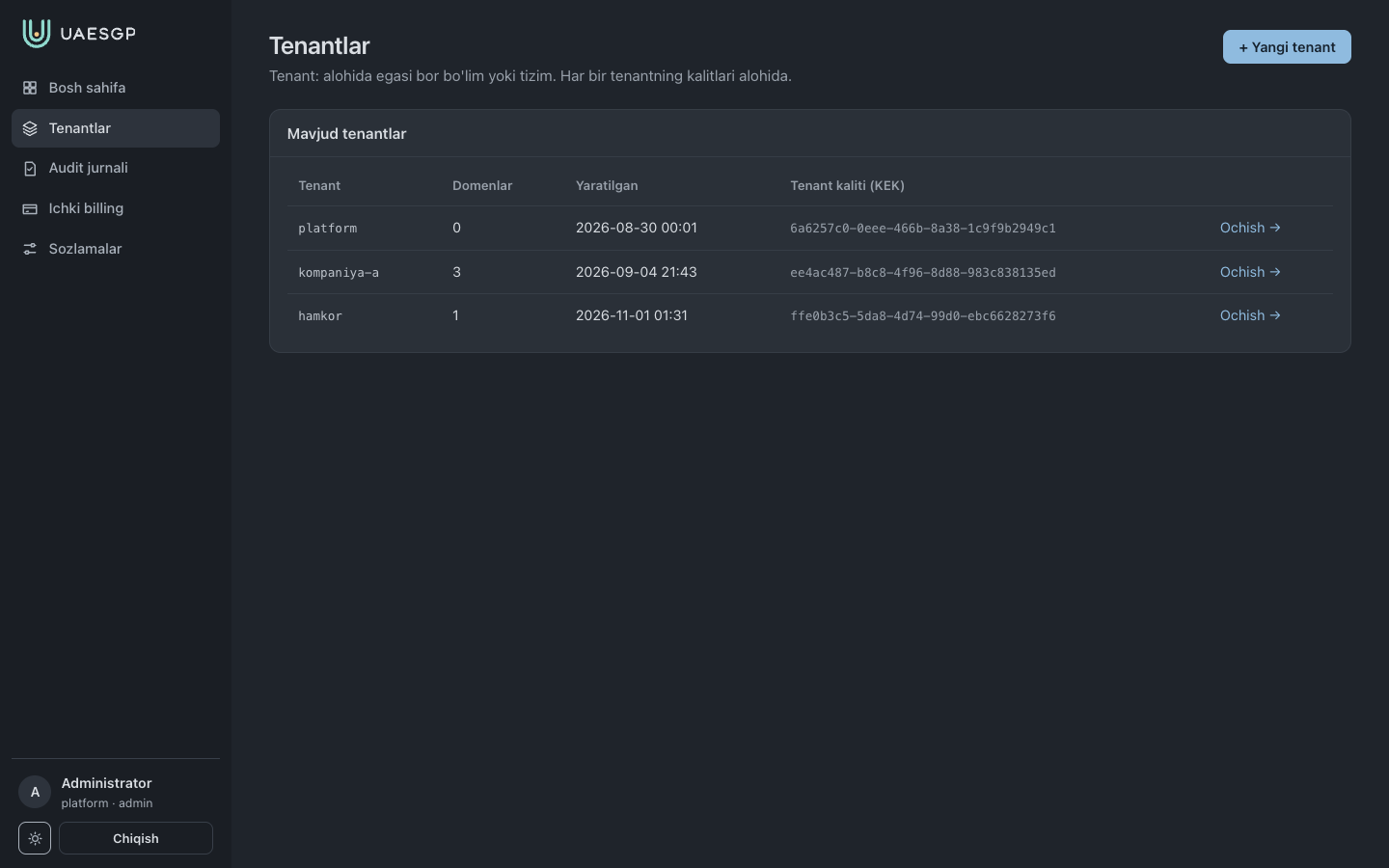
TOTP is mandatory for console login. The console does not return keys or plaintext values. It does not yet show the lease term or remaining operations. A revoked domain can be destroyed with a console button, which has not yet been tested on a real server.
What UAESGP does not do, and paths not yet tested
What you should know before you buy, with dates and status.
Limitations that come from how it works
- Plaintext passes through the EG. The application sends the value inside TLS to the EG on your own server, and the EG encrypts it there. There is no on-device encryption.
- SQL injection is not stopped. An injection that makes your application decrypt and return a value gets the plaintext. Injection has to be fixed in the code.
- A compromised application server can decrypt. While on the server, the attacker decrypts the data that application is permitted to access. Every call is logged, and access can be cut off.
- No filtering or sorting on an encrypted column. Exact-match search works only with a separate token, not through the SDK.
- Key revocation is practically irreversible. Data encrypted with a revoked version can no longer be decrypted. Re-encrypt first, then revoke. Revoke in the console revokes all versions of the domain.
- Rotation does not re-encrypt existing data. New records are encrypted with the new key, and old ones stay on the old version.
- The root key is software-based by default. Without a connected HSM, it sits in a file on the UAESGP server and in KMS memory. You encrypt that server's disk yourself.
- Dependence on the vendor lease. If the lease expires (72 hours by default) or the monthly limit runs out, decryption stops too. On a server with internet access, if there is no verified check-in for more than 7 days, all services stop together with the console. On air-gapped sites a signed lease file plays this role.
Status record: 19 November 2026
- Installation, backup and restore, version upgradeTested on a clean server
- Encryption and decryption of a stored value with the Node.js SDKTested on a clean server
- JSON proxy (field mode), partner request through apigw, manual key rotationTested on a clean server
- amd64: installation, restore from backup, load of about 4,000 operations per secondTested in the lab
- Refusing a tampered and a replayed envelopeTested in the lab
- Automatic key rotation, audit chainUnit tested
- Sealing a whole body in one envelope (12 SDKs, proxy)Unit tested
- HSM (PKCS#11) pathNot yet tested
- Physical or virtual amd64 server, RHEL, SELinuxNot yet tested
- PostgreSQL extension from the archiveNot yet tested
- Browser and mobile SDKs with a live EG, the full flow of key release to a partnerNot yet tested
- The 7-day stop, version rollback, the three paths when a partner also runs UAESGPNot yet tested
- External penetration testNot yet available
- Any certificationNot yet available
- National O'z DSt 1105 and 1092 algorithmsNot yet available
- High availability (multi-server deployment)Not yet available
A free one-month trial, then an annual license
The annual license is for use on your own server. All plans include the same platform and 12 SDKs. They differ in operation and tenant limits and in air-gapped mode. Support terms are set out in the written quote.
Pilot: evaluation in a test environment
Trial
Free 1 month
- 10,000 operations a month
- 1 tenant
- No air-gapped mode
Small volume
Start
Price on request
- 5 million operations a month
- 3 tenants
- No air-gapped mode
Medium volume
Business
Price on request
- 15 million operations a month
- 10 tenants
- No air-gapped mode
Large volume, air-gapped network
Enterprise
Price on request
- Operations by agreement
- Tenants by agreement
- Air-gapped mode included
If no mail app opens, write to this address: ogabekkadirov.dev@gmail.com
The price is given in a written quote, invoiced in Uzbek soums under the contract, and excludes VAT. Each encryption and each decryption is one operation, and encrypting existing records also consumes operations.
Status, 19 November 2026: UAESGP is not certified by any body, does not support the O'z DSt algorithms and has had no external penetration test. Banks, payment organisations and state bodies have extra legal requirements (licensed and certified tools); check them with your lawyer. More: Regulation.
Plan table and plan calculatorAnswers to the questions asked before buying
What happens if our server (the vendor server) goes down?
About every 15 minutes the platform renews its signed usage lease from our server. If the server does not respond, you keep working until the lease you hold runs out: 72 hours by default, or when the operations block is used up. With load equal to the monthly limit, a full block lasts about a day and a half. If the outage starts just before the next block is requested, about 4 hours remain.
After that both encryption and decryption stop, and your application gets a 402 error. Data and keys stay in place, but you cannot read them during that time. The time to recover from an outage is written into the contract.
The services also check in with the vendor every 24 hours. If there is no verified check-in for more than 7 days, all services stop together with the console, and they come back on their own once the connection returns. This behaviour is in the code but has not been tested yet.
An air-gapped installation sends no requests to the vendor server: it works until the signed lease file's term or operation count runs out, and then a new file is needed.
What happens if we stop paying?
We may suspend the license. Suspension takes effect at the next lease renewal, within 15 minutes: both encryption and decryption stop. At the next check-in, within 26 hours, all services stop. These times have not been measured. That means you cannot read the protected columns during that time.
This condition is stated openly in the contract. If you want to move your data elsewhere, do so while the license is still valid.
Can a DBA read the data?
Not when the application works through the SDK: in the selected columns the DBA sees only the envelope, and in the KMS database only wrapped keys. But a DBA can delete rows or put back an old valid value.
In PostgreSQL extension mode the superuser is inside the trust boundary and can reach plaintext. This mode has not yet been tested from the archive.
Does it protect against SQL injection?
Partly. UAESGP does not see queries and does not detect injection. An injection that pulls tables gets only envelopes, because the key is not in the database.
An injection in a query whose result your application decrypts and returns does get plaintext, because each decryption is sent in the application's own name. UAESGP logs every decryption but does not stop it. Injection has to be fixed in the code as well.
How much code has to change?
In Laravel and Django, one line per field: a cast or a field type. In Node.js, Go and other stacks without ORM integration, every write and read location that touches the field changes. On top of that, you set up the SDK, certificates and the session token function once.
Most of the work is around it: the column type changes, filtering and sorting on that column stop working, you encrypt existing records separately, and you check that no plaintext values end up in logs and reports. We have not yet measured integration time, so we give no estimate.
Can we leave later?
Yes, but there is no ready-made export tool yet. To leave, you write a script that decrypts the envelopes with the SDK and rewrites them while the license is valid. Each decryption counts as one operation, so plan the volume against your limit.
The exit procedure after the license ends, and what happens if the vendor ceases operations, are not yet documented. Ask about this before the pilot; the answer should be written into the contract.
What happens if the root key is lost?
The data is gone and we cannot restore it either, because we hold no copy of the root key. make backup deliberately leaves it out. After installation, keep the secrets/runtime/.master/ folder offline.
Is there certification, and are national algorithms supported?
Not yet. UAESGP uses international algorithms: AES-256-GCM and Ed25519. O'z DSt 1105 and 1092 are not supported, and there is no certification and no external penetration test. Banks, payment organisations and state bodies have extra legal requirements (licensed and certified tools); check them with your lawyer.
UAESGP provides technical controls: field-level encryption, key separation, access control and a tamper-evident audit log. Compliance also depends on your processes, and that is for your lawyers and auditors to decide.
Four steps after you write to us
The pilot runs in your test environment. It has one goal: you check for yourself that UAESGP works on your stack and under your load.
If no mail app opens, write to this address: ogabekkadirov.dev@gmail.com
If you have found a vulnerability, write to ogabekkadirov.dev@gmail.com.
-
You write to us
Organization, database and stack, which fields, roughly how many operations a month, whether the server has internet access, and its architecture. Do not include real data, passwords or keys in the email.
-
We reply
We reply through the channel you wrote on and clarify your questions. Contact
-
You receive the archive and a pilot license
A free one-month license: 1 tenant, 10,000 operations a month. That is enough to check the connection and how it works, but too little for a load test: if you need more volume, say so in your message. We send the archive hash over a separate channel; you verify it and install.
-
You evaluate it, then we agree terms
You encrypt and decrypt one field and count how many operations one user action consumes. If you continue, we agree the plan and contract in writing, including lease outages and the exit procedure.
Send your question the way that suits you
Reach us by email, phone or Telegram about a pilot, pricing or a technical question. Do not include real data, passwords or keys in your message.