What has been tested and what has not, written down here
UAESGP encrypts sensitive data in database columns, in API requests and responses, and on its way from apps and to partners, and it keeps the keys apart from the data. A product like this cannot be trusted if it overstates itself. So every capability comes with its type of evidence, and every limitation with a plain answer.
If no mail app opens, write to this address: ogabekkadirov.dev@gmail.com
Types of evidence
These five badges mean the same thing everywhere on the site.
- Tested on a clean server
Installed from the customer bundle on a clean Ubuntu 24.04 arm64 server and run from start to finish in production mode (5–8 November 2026). The code has changed since.
- Tested in the lab
Vendor and customer servers in separate Docker containers on one amd64 computer, run from the customer bundle from start to finish (9 November 2026). Not on a physical or virtual server.
- Unit tested
Automated tests in the repository, or tests against a test server, pass. Not checked separately in a running bundle.
- Not yet tested
The code exists but has not been tested in real conditions.
- Not yet available
Does not exist. Do not assume it does.
Every capability has its evidence next to it
We ran the tests ourselves; no independent party did. Clean server: Ubuntu 24.04 arm64. amd64 was tested in a Docker lab, not yet on a physical or virtual amd64 server. The Go tests were re-run with the race detector on 20 November 2026: 67 packages passed, no failures, 2 packages have no tests.
Terms used on this page
- EG (Encryption Gateway)
- The service your application calls to encrypt and decrypt. It runs on your server.
- EDAL
- A service that encrypts individual columns. It works only with mTLS.
- KMS
- The service that creates and manages keys.
- Envelope
- A JSON record holding the encrypted value and the fields needed to verify it. This is what your database stores.
- Tenant and domain
- Tenant: a business division or system with its own key. Domain: a group of data of one type, for example
pii.phone. - mTLS
- A TLS connection in which both sides present a certificate.
- HSM
- A dedicated device that does not let the key leave it.
- Penetration test
- An attack test carried out by an independent firm.
- Vendor server
- Our license server. Your server gets its usage lease from it.
| Capability or path | Evidence | How it was checked |
|---|---|---|
| Installation from the bundle, first login, creating a tenant and domain | Tested on a clean server | sudo ./install.sh: a bundle without source code, 9 stages, integrity check with SHA256SUMS. Then make smoke passed. |
| Node.js SDK: encryption, then decryption of the stored value | Tested on a clean server | The value was decrypted in storage mode after 35 seconds, that is, outside the 30-second time window. |
Go SDK, through uaesgp-cli | Tested on a clean server | make smoke encrypts and decrypts through the CLI on a real EG. Not run separately as application code. |
| EDAL: encrypting and decrypting a column | Tested on a clean server | Over mTLS. A value encrypted before a version upgrade was still decrypted after the upgrade. |
| Three-level key structure, with a software root key | Tested on a clean server | This is the bundle's default mode. The separate status with an HSM is below. |
| mTLS between services and allowlists | Tested on a clean server | The production stack runs this way. The public listener refused storage mode. |
| Admin login: password change and TOTP | Tested on a clean server | The password change and TOTP enrollment steps were completed at first login. |
| Encrypted backup and restore | Tested on a clean server | make backup, make restore. The 5 platform databases are encrypted with age. Backing up your application database is your job. |
| Certificate renewal and client certificate | Tested on a clean server | make renew, make client-cert. |
| Restart and version upgrade | Tested on a clean server | make down, make up, install.sh --from. Encryption and decryption were then checked again. |
| Monitoring | Tested on a clean server | make monitoring-on. Alert receivers are empty by default: until you configure them, alerts reach no one. |
| Vendor-signed usage lease | Tested on a clean server | Tested with real attacks, listed in the next table. |
| Manual key rotation (Rotate) | Tested on a clean server | A new DEK version was created with the Rotate button in the console. |
| JSON proxy, from the bundle (field mode) | Tested on a clean server | Field encryption was enabled from the bundle, and the response returned an envelope in place of the field. whole_body mode is only in the service tests; the token-refresh cron is not tested. |
| apigw: a partner's signed request | Tested on a clean server | A signed request got 200, a replay with the same nonce 409, and a request signed with a foreign key 401. The request was forwarded to the proxy; forwarding to your own API is not tested. |
| A separate session token key per application | Tested on a clean server | The application was given its own signing key and opened a session with it. |
amd64: installation, first login, tenant, domain, make smoke | Tested in the lab | Together with the vendor server: license issue, registration and limit increase, TOTP and password change. |
| Tampered and replayed envelope | Tested in the lab | Both were refused. |
| Vendor stops the license and turns it back on | Tested in the lab | After the stop the EG refused encryption and decryption with 402; after it was turned back on, it worked again. This is not key revocation: a revoked key does not come back. |
| Restore from backup | Tested in the lab | All five platform databases were restored in 38 seconds. A record written before the backup opened, one written after it did not, and both audit chains stayed intact. |
| Load | Tested in the lab | In the lab (Docker on one computer, EG limited to 2 CPUs, 64-byte and 1 KiB values) about 4,000 operations per second passed without errors. This is not a promise for your server. |
| Elasticsearch, Logstash, Prometheus, log retention | Tested in the lab | Indexes are deleted when their period ends: logs are kept for 90 days and the audit copy for 365 days; the periods can be changed. |
| Three independent integrity checks on the envelope | Unit tested | Key-swap, signature-tampering and AAD boundary-shift tests, a fuzz test, a golden sample envelope. |
| Binding to row and column | Unit tested | Go tests for EDAL v2. The Django and Laravel test suites passed against a test server in the lab. |
| Equality search token | Unit tested | Tested that the token is bound to tenant, domain and column. |
| Key rotation: data, tenant and root keys | Unit tested | Tested: rotation on expiry, re-wrapping, and destruction of the old key. |
| Key revocation and its propagation to gateways | Unit tested | The event path and the fallback polling path are tested. Propagation time has not been measured, so we give no figure. |
| Key destruction (making a domain's data undecryptable) | Unit tested | Tested: the requirement to revoke first, and the deletion of key material. |
| KMS response signature | Unit tested | A modified response is rejected. The production stack requires the public key in order to start. |
| One-time session token and replay protection | Unit tested | Tested: atomic nonce check, time window, token reuse. |
| Tenant isolation | Unit tested | There are tests for each layer. A test for the running stack is written, but there is no record that it was run. |
| Audit chain and triggers that block modification | Unit tested | The chain tests pass. Tests with a real PostgreSQL are skipped unless configured. There is no record of a check on the running stack. |
| Anomaly rules | Unit tested | The default rules watch only refused operations. There is no rule for the volume of successful decryptions; you add it yourself. |
| Stopping in production when a setting is missing | Unit tested | Configuration tests. The bundle runs in production mode. |
| Masking sensitive fields in logs | Unit tested | Tests by field name and in free text. |
| Partner key release | Unit tested | Go and SDK sample vectors. Pinning a permanent partner key does not work with the SDKs. |
| Air-gapped operation: signed lease file | Unit tested | The file is accepted only with an airgapped license and a vendor root key signature. The file procedure was tested: operations run out, an old file is refused, a restart does not reset the count, the next file is accepted. The offline INFRA=1 bundle is not tested. |
| SDKs: Python, PHP/Laravel, Java/Spring, .NET, Rust and Flutter | Unit tested | Their tests pass against a test server: the Python, PHP, Java, .NET and Rust suites passed in the lab on 9 November 2026. They have not touched a real EG. SDK list. |
Sealing a whole body in one envelope (12 SDKs, proxy whole_body) | Unit tested | The SDK and proxy tests pass against a test server. A Go test checks that the sample vectors in the SDKs match the Go originals. Not run on a live EG, in an iOS and tvOS build, or on React Native Hermes. |
| Build with the Go FIPS 140-3 module | Unit tested | Not enabled in the standard bundle, because it does not work together with obfuscation. This does not mean UAESGP has been validated. |
| HSM (PKCS#11) path | Not yet tested | The code builds and passes unit tests. It has not been run on a real device. |
| Physical or virtual amd64 server | Not yet tested | In the amd64 Docker lab (9 November 2026) installation, smoke, backup and restore, Elasticsearch, Logstash and Prometheus passed. Not yet tested on a physical or virtual amd64 server. |
| RHEL and SELinux | Not yet tested | The full test has passed only on Ubuntu 24.04. |
| PostgreSQL extension, from the bundle | Not yet tested | The repository has a separate test path. Not run from the customer bundle. |
Offline image bundle (INFRA=1) | Not yet tested | The path for delivering third-party container images to an air-gapped server has not been run. |
| SDKs: browser TypeScript, React Native, Android, iOS | Not yet tested | The browser TypeScript and React Native tests passed in the lab; the Android and iOS tests have not been run. None has been run in an app or against a real EG. The iOS SDK does not build from the archive. SDK list. |
| Let's Encrypt renewal on the vendor server, proxy token cron | Not yet tested | Not run. |
| Version rollback | Not yet tested | The path back to an older version is not tested. |
| All services stopping when the vendor does not answer for 7 days | Not yet tested | In the code, not observed in testing. |
| Console guard (iptables rule added by the installer) | Not yet tested | The rule and its systemd service are in the code, not tested on a clean server. |
| The full flow of key release to a partner | Not yet tested | Only the "release a key to yourself" attack was tested, and it was refused. |
| The three paths when the partner also runs UAESGP | Not yet tested | All three paths are in the code, not tested between two separate installations. |
| External penetration test | Not yet available | All audits have been internal. |
| Any certification | Not yet available | No ISO 27001, SOC 2, PCI DSS or national certification. |
| O'z DSt 1105 and 1092 algorithms | Not yet available | Not in the code. Neither is GOST. |
| High availability, multiple servers | Not yet available | The bundle is designed for a single server, with one instance of each service. A cluster is a separate project. |
| Automated CI | Not yet available | A CI configuration (.gitlab-ci.yml) exists and its go-test job passed in the lab, but it has not yet run on a GitLab runner. Tests are executed by hand. |
| Automatic re-encryption of existing data | Not yet available | This is done through your application. |
| Per-user or per-record permissions within a tenant | Not yet available | Any session of a tenant can decrypt envelopes in its own tenant. Separation is by domain restriction. |
| Two-person control over key destruction | Not yet available | One admin does it by typing the confirmation text. |
| Network-level DDoS protection | Not yet available | This is the job of your network layer. |
Attacks actually attempted and refused
We carried out these attempts ourselves on a clean server and in the lab. Most of them target bypassing the license and metering, so they do not replace an external penetration test. Metering cannot be turned off by editing settings: we checked this with attacks in our own testing.
| Attempt | Evidence | Result |
|---|---|---|
Decrypting stored data in storage mode through the public listener | Tested on a clean server | Refused. This mode works only through the internal mTLS listener. |
Turning off billing and license settings in the .env file | Tested on a clean server | Services still ran under the vendor lease, and operations kept being counted. |
| Raising the lease volume in the state file | Tested on a clean server | The stored lease was rejected. A new block was obtained and the vendor counted it. |
| Resetting the counter to zero | Tested on a clean server | The vendor recorded this in the rollbacks field and counted the new block. |
| Deleting the state file and starting from scratch | Tested on a clean server | A new block was issued and counted. |
| Blocking the vendor server, carrying on working, then restarting everything | Tested on a clean server | 402 LICENSE_NOT_AUTHORIZED once the lease ran out. Restarting did not help. Services came back on their own when the connection returned. |
| Calling the KMS directly with the EG certificate to get a key | Tested on a clean server | While the lease was valid, the key in the response came sealed: 60 bytes, whereas a real AES-256 key is 32 bytes. After the lease ran out, 402. |
| Releasing a key to oneself as a partner | Tested on a clean server | 403 LICENSE_FEATURE_REQUIRED. |
| Bypassing the monthly limit through EDAL | Tested on a clean server | With a license of 300 operations a month, 402 LICENSE_QUOTA_EXHAUSTED once the limit ran out. Decrypting existing data stopped with the same response. |
| Restarting services after the license was revoked | Tested on a clean server | Services did not start: license REVOKED by vendor. They recovered on their own once the vendor re-enabled it. |
| Moving an envelope to another row | Tested on a clean server | Refused. |
| Session token signed with a foreign key | Tested on a clean server | Refused. |
| Signing a partner request with a foreign key, and replaying it | Tested on a clean server | 401 AUTH_FAILED and 409 REPLAY_DETECTED. |
| Connecting with a revoked client certificate | Tested on a clean server | May be accepted for up to 30 seconds, then refused. |
| Tampered and replayed envelope | Tested in the lab | Both were refused. |
These tests cover settings, the state file and the network path. Modifying the executable, moving the whole server clock back, and keys released to a partner are outside this protection. The seal on the KMS response is a license control, not a data security boundary, because its secret sits inside the program.
Six important items are not yet done
You should know these before you buy. Each one may affect your decision.
Not yet available
External penetration test
No independent firm has tested UAESGP yet. If you want to run your own penetration test in the pilot environment, write to us and we will define its scope together.
Not yet available
Certifications
UAESGP is not currently certified by any body. There is a table mapping its controls to standards, but that is not a certification.
Not yet available
O'z DSt algorithms
The national algorithms O'z DSt 1105 and 1092 are not currently supported. UAESGP uses international algorithms. For a government organization, this may be the first question.
Not yet tested
HSM testing
Without a connected HSM, the root key is software-based: a file on the server and KMS memory. The HSM path exists in the code but has not been tested on a real device. If you need an HSM, we offer to check it on your hardware during the pilot. Until then, do not assume this path works.
Not yet tested
Physical or virtual amd64 server
The full flow has passed on an arm64 server, and amd64 in a Docker lab. There has been no test on a physical or virtual amd64 server. If your server is amd64, check this first during the pilot.
Not yet tested
RHEL and SELinux
The guide lists Ubuntu 22.04 and later and RHEL 9 and later, but the full test has passed only on Ubuntu 24.04.
About plans
None of this work has an announced date. The penetration test scope and environment are written in an internal document, but we do not promise it until a date is set.
Internal audits
October 2026: 570 confirmed findings across 15 areas: 4 critical, 96 high, 249 medium, 221 low. The re-review gave 620 assessments: 530 fixed, 83 partly fixed, 5 not fixed, 2 not applicable. 10 November 2026: an internal red team round confirmed 7 medium and 15 low findings, with no critical or high ones. All of them received fixes, some only partial. These were internal reviews, not an independent review. Among those still open: anyone who intercepts a session_id can use it until it expires, and the envelope signature does not cover the domain field.
UAESGP helps if a database copy is stolen; it does not fully help if your application is compromised
Compare with disk encryption and TDE. TDE encrypts database files, but decrypts values for anyone who runs an SQL query. The table is written for UAESGP on a server separate from the application database, used through the SDK or EDAL.
| Threat | Disk encryption or TDE | UAESGP protects | UAESGP does not protect |
|---|---|---|---|
| Application database disk is stolen | Protects | Encrypted columns: the thief has only the envelope, not the key. | Unencrypted columns. Search tokens reveal identical values and their frequency. Tenant, domain, key number, time and length are visible. |
| UAESGP server disk is stolen | Protects, if enabled | With a software root key, it protects nothing on its own. With an HSM the root key would not sit on disk, but the HSM path is not tested. | The root key file and the KMS database are on one disk: taken together, all keys come out. You must encrypt this disk yourself. The thief also needs the envelopes from the application database. |
| Database dump is stolen | Does not protect: the dump comes out in plaintext | Encrypted columns stay encrypted in the dump too. This is the clearest difference from TDE. | Unencrypted columns, search tokens, metadata. |
| Backup is stolen | File-level backups only. A logical dump stays in plaintext | make backup: the 5 platform databases are encrypted with age, and the root key is not in the backup. In an application database backup, protected columns remain as envelopes. |
Backing up the application database is your job. A full VM copy of the UAESGP server is equivalent to a stolen disk. Old backups keep the wrapped keys of deleted domains. The age key and the root key must be stored offline. |
| Malicious DBA (database administrator) | Does not protect: sees everything through SQL | In SDK mode, sees only the envelope and cannot decrypt it. In the KMS database, sees only wrapped keys. If an audit row is changed without the chain key, it shows. | In PostgreSQL extension mode, the superuser is inside the trust boundary and can decrypt. In every mode, can delete rows or restore old values, and if not bound to a row, swap envelopes within a tenant and domain. With both the owner role and the chain key, can rewrite history. |
| SQL injection | Does not protect | Partly. An injection that extracts tables gets only the envelope, because the key is not in the database. | An injection that forces your application to decrypt and return gets plaintext. UAESGP neither detects nor stops injection. |
| Application server is compromised | Does not protect | In the normal SDK flow, the data key does not reach the application server. Each decryption is a separate network call and audit record. If you revoke the right, the attack stops. | While the server is compromised, the attacker can decrypt the data that application is permitted to access. There is no volume alert by default. The tenant limit is 5,000 requests per second; it limits the rate, not the volume. |
| Admin account is compromised | Not applicable | The console and admin API do not return keys or plaintext. Every change is written to the KMS log in the same transaction. TOTP is required for login in production. | The admin role can revoke and destroy a domain; destruction is irreversible and needs no second person. A stolen admin token works for up to 15 minutes. In software root key mode, a host admin with the secrets/ folder on the server has everything. |
| Network eavesdropping | Does not protect: covers stored data only | TLS 1.3 mTLS between services, TLS 1.2 or higher at the edge, and TLS to PostgreSQL and Redis in production. The value going to the database is an envelope. A substituted KMS response is rejected by its signature. | Between the application and the EG there is no protection other than TLS. A TLS-terminating proxy or WAF in front of the EG sees the plaintext and the session_id. |
-
No data key on the server
In the normal SDK flow the data key never reaches the application server. An attacker cannot open an envelope from the database on their own.
A separate session token key per application Tested on a clean server
-
But it decrypts as the app
While on the server, an attacker decrypts through the EG whatever this app may read. Every decrypt is written to the audit log.
Per-user or per-record permissions within a tenant Not yet available
-
Move reads to a separate backend
Keep the web tier off
EG_STORAGE_MODE_IDENTITIES. If it is compromised, it can open only an envelope younger than about 30 seconds, and only once.Decrypting stored data in
storagemode through the public listener: rejected Tested on a clean serverOne-time session token and replay protection Unit tested -
Notice the volume
The default rules watch only refused operations. Add a decrypt volume rule to
AUDIT_ANOMALY_RULESand set up an alert receiver.Anomaly rules Unit testedMonitoring (alert receivers are empty by default) Tested on a clean server
-
Stop it
Revoke the app certificate and replace the signing key. The certificate may still work for up to 30 seconds, an open session for up to 15 minutes.
Revoked client certificate: may be accepted for up to 30 seconds, then rejected Tested on a clean serverSession token signed with a foreign key: rejected Tested on a clean server
Settings for the application server
- Give the web tier its own certificate and keep it off
EG_STORAGE_MODE_IDENTITIES: the default list holdsapp. Let a separate backend on the list read stored data. - Lower
EG_RATE_TENANT(5,000 per second by default) to a value close to your real load. It limits speed, not volume. - Add a rule for the volume of successful
DECRYPToperations toAUDIT_ANOMALY_RULES. The list replaces the default rules, so include them as well. - Separate data types with domains and the
domrestriction in the token.
dom when it is set. Root access to the server is outside the scope of protection. make recreate recreates every container. The full list: what is tested and what is not.The SQL injection outcome depends on the path
- If a table is extracted directly and the database role has no decrypt right, only the envelope comes out.
- If your application decrypts and returns the result, for example
?id=1 OR 1=1, the attacker gets plaintext. Every decryption is logged in the audit trail, but not stopped. - If the envelope of another row is copied: EDAL v2 rejects it with
row_context. Django and Laravel reject a different column, but the same column decrypts. On other SDKs your application must checkaad_extra. - In the PostgreSQL extension, if the query runs with the
uaesgp_decryptorrole, plaintext comes back. Give the applicationuaesgp_encryptor.
Fix the injection in your code as well.
Outside the scope of protection
- Root access on the server.
- Theft of an
egoredalcertificate: until the certificate is revoked, its holder can request any tenant's key. - Write access to Redis: it affects replay records, revocations and counters.
- Theft of a CA or IdP key, control of the server clock.
- All tenants share one root key. Use separate deployments for tenants whose risk is separate.
Only metering data leaves your server; data and keys do not
Your data and keys stay in your own infrastructure. For metering, the license service sends requests to the vendor server. Sites that cannot connect outward use a signed lease file instead.
-
Everything stays inside
Data, envelopes and keys are created on your server and stay there.
-
A request about every 15 minutes
Each service sends the vendor only metering data: license and instance number, service, version, plan, operation count and binary hash.
-
What the vendor sees
The vendor also sees the request's source IP address and User-Agent and keeps them for 180 days.
-
What never crosses the line
Plaintext, envelopes and keys are never sent, online or air-gapped.
-
A signed lease comes back
The reply carries a vendor-signed lease: 72 hours by default and a block of 5% of the operations. Without it, encryption and decryption do not work.
Vendor-signed usage lease Tested on a clean server
-
Air-gapped mode
An air-gapped server has no link: you install a vendor-signed
lease.jsonfile yourself, usually every month. This is on the Enterprise plan.Air-gapped operation: signed lease file Unit testedOffline image bundle (
INFRA=1) Not yet tested
Sent in online mode
- license number
- instance number
- service name and version
- nonce and sequence number
- plan name
- operations used
- binary hash
The vendor also sees the source IP and User-Agent and keeps them for 180 days.
Never sent
- plaintext
- envelopes
- keys
Neither online nor air-gapped.
| Item | Online mode | Air-gapped mode |
|---|---|---|
| License number, instance number, service name, version, nonce and sequence number | Sent to the vendor | Not sent |
| Operations used, binary hash, plan name | Sent to the vendor | Not sent |
| Source IP and User-Agent | Seen by the vendor; check-in records are kept for 180 days | Not sent |
| Plaintext, envelopes, keys | Never sent | Never sent |
| How the lease arrives | Renewed automatically about every 15 minutes, and the services also check in every 24 hours. The server needs outbound access to the vendor over port 443 | A vendor-signed lease.json file with a short term, usually one month |
| If the license is revoked | Takes effect at the next renewal, within 15 minutes at most. All services stop within 26 hours. These times have not been measured | Does not reach the site. Operations are stopped by the file's term or its operation count |
| Installation | Tested on a clean server | The offline bundle of third-party images (INFRA=1) is not tested |
Among the plans, air-gapped operation is available only on Enterprise: Plans.
If the usage lease runs out, both encryption and decryption stop
This is the product's most important dependency. The lease is a signed document valid for 72 hours (default). Without it, EG and EDAL do not encrypt or decrypt, and the KMS does not release keys. During that time you cannot read your own data. Your management should know this before signing a contract.
-
Normal operation
The lease renews about every 15 minutes and is valid for 72 hours by default. Operations arrive in blocks of 5%.
Vendor-signed usage lease Tested on a clean server
-
The link drops
If the vendor cannot be reached, nothing changes at once: you keep working until the lease and block in hand run out.
-
The lease or block runs out
Once the lease or block runs out, EG and EDAL neither encrypt nor decrypt: 402. The data is still there, but it cannot be read.
Vendor server blocked:
402once the lease ran out, services came back by themselves when the link returned Tested on a clean server -
No answer for over 7 days
After 7 days without a verified check-in, all core services and the console stop. This is not tested yet.
All services stopping when the vendor does not answer for 7 days Not yet tested
-
The link returns
When the link returns, the services come back by themselves; keys and data are not erased. Coming back from the 7-day stop is not tested yet.
-
Other causes
Decryption also stops when the monthly limit runs out or the license is stopped. Have your app show 402 as a clear error.
Monthly limit used up,
402: decrypting existing data stopped too Tested on a clean serverRestart after the license was revoked was refused; service returned once the vendor turned it back on Tested on a clean serverVendor stops the license and turns it back on Tested in the lab
- Monthly limit used up.
402 LICENSE_QUOTA_EXHAUSTED, and decryption stops too. Nothing warns you in advance; service returns by itself next month (UTC). - License stopped.
402within 15 minutes, all services stopped within 26 hours; these times have not been measured. A restart does not help; once the license is turned back on, service returns by itself. - If you stop using it. There is no tool that decrypts without the platform. Write a transition period long enough to decrypt all your data into the contract.
lease.json file's term and operation count. Contract questions still without an answer are below. The full list: what is tested and what is not.If the vendor server goes down
Your deployment works until the lease you hold runs out: 72 hours by default, or when the operations block is used up. With load equal to the monthly limit, a full block lasts about a day and a half; if the outage starts just before the next block is requested, about 4 hours remain. After that, 402 LICENSE_NOT_AUTHORIZED. We have tested this by blocking the vendor. Services come back on their own when the connection returns.
If the monthly limit runs out
No further block is issued: 402 LICENSE_QUOTA_EXHAUSTED. Decrypting existing data stops too. Choose a limit above your load: Plans.
If payment stops
The vendor revokes the license. A signed refusal arrives at the next renewal, within 15 minutes at most. At the next check-in, within 26 hours, all services stop. These times have not been measured. Data and keys are not deleted, but they cannot be decrypted. After payment the vendor re-enables the license and services recover on their own. If the license term ends, then after the additional period written in the license (0 to 90 days) passes, the next check stops the services.
If the vendor does not answer for more than 7 days
The services check in with the vendor every 24 hours. If there is no verified check-in for 7 days, kms, eg, audit, auth-svc and the other services stop, and you cannot sign in to the console either. Everything comes back on its own once the connection returns. This behaviour is in the code but has not been tested yet.
If an air-gapped site's file expires
You copy the lease.json file the vendor signed with an offline key to license/lease.json and run make recreate. If the file's term or operation count runs out, decryption stops too. Plan to request a new file in time.
If the vendor disappears entirely
No party remains to issue new leases, so services stop once the current lease runs out. The root key, KMS database and encrypted data stay on your server. The algorithms and envelope format are written in the bundle's documentation, so it is technically possible to write a program that decrypts without the platform. No such tool is in the bundle, and this path has not been tested.
If you lose the root key or your server stops
The root key is deliberately left out of backups. If you lose it, no one, including us, can recover the data. A single-server deployment has no high availability: if the server stops, encryption and decryption stop too.
Questions with no answer yet
- If the vendor server goes down, how quickly is recovery guaranteed?
- Is there a notice period before revocation for non-payment?
- Can a large organization get a longer lease?
- If the contract ends or the vendor ceases operations, how do you get your data out? There is no written procedure yet.
These are contract questions, not product questions. We do not answer them on this page today. Have the answers written into the contract before signing. Do not rely on a clause with no written answer.
The value is encrypted with AES-256-GCM, and keys are kept apart from the database
Your application sends the value over TLS to the EG. Plaintext passes through EG memory on your server during the request. Encryption happens inside the EG, not in the application or on the device. An envelope goes to the database, into the API response or to a partner.
Keys come in three levels
The root key (RMK) wraps the tenant key (KEK). The KEK wraps the data key (DEK) and a separate HMAC key. The DEK encrypts the value. Each tenant has its own KEK, and each tenant and domain has its own DEK. The database holds only wrapped keys.
Rotation is automatic: by default the DEK every 30 days (with 10% random variation), the KEK every 90 days.
Where keys exist in the clear
In software mode the root key is in KMS memory. The KEK is in KMS memory during an operation. The DEK leaves the KMS: it goes inside mTLS, in a signed response, to EG or EDAL and stays in memory for a short time. More detail: Platform.
-
Each key wraps the next
The root key encrypts the tenant key, and the tenant key encrypts the data key. Only the DEK encrypts data, with AES-256-GCM.
Three-level key structure, with a software root key Tested on a clean serverHSM (PKCS#11) path Not yet tested
-
Databases hold only wrapped keys and envelopes
KEKs and DEKs sit wrapped in the KMS database, and your app database holds only envelopes. The root key is in no database, so whoever gets your app database or a copy of it cannot read the protected fields.
The software root key file and the KMS database sit on one disk: taken together, they give up every key, so encrypt that disk.
HSM (PKCS#11) path Not yet tested
-
Rotation adds a new version
The DEK changes about every 30 days and the KEK every 90. New records use the new version, the old one keeps decrypting, and envelopes are not re-encrypted.
Manual key rotation (Rotate) Tested on a clean serverKey rotation: data, tenant and root keys Unit tested
-
Revocation stops decryption
Revoke revokes every version in the domain, and envelopes under them no longer open. This cannot be undone.
Key revocation and its propagation to gateways Unit tested
| Purpose | Algorithm | In plain language |
|---|---|---|
| Field encryption | AES-256-GCM: 256-bit key, 96-bit IV, 128-bit tag | The value is encrypted. If it is modified, the tag does not match. |
| Envelope integrity | HMAC-SHA256, Ed25519 (RFC 8032), AES-GCM tag | Three independent checks, in this order. If any one fails: 422 TAMPER_DETECTED. |
| Key wrapping | AES-256-GCM, with owner and purpose bound in the AAD | If you copy a wrapped key to another tenant's row, it will not unwrap. |
| Session | One-time EdDSA JWT, X25519 (RFC 7748), HKDF-SHA512 | The token works once, and a session lasts 15 minutes by default. The handshake key does not protect request data: confidentiality relies on TLS alone. |
| Replay protection | 256-bit nonce, 30-second time window by default | Only in wire mode. Stored data (storage mode) is read many times and has no such check. |
| Equality search | HMAC-SHA256 token: by tenant, domain and column | Exact match only. Identical values and their frequency are visible. |
| Partner key release | X25519, HKDF-SHA512, AES-256-GCM | A separate right in the license. Revocation does not reach a key released to a partner. |
| Transport | TLS 1.3 mTLS between services, TLS 1.2 or higher on the public listener | Having a certificate is not enough: each endpoint has an allowlist. |
| Admin passwords | Argon2id: 64 MiB, t=3, p=4 | At least 14 characters, TOTP required in production, attempts are limited. |
| Audit chain and backup | HMAC-SHA256, age | In the section below and in the threat table. |
| National algorithms | Not yet available | O'z DSt 1105, O'z DSt 1092 and GOST are not supported. |
Limitations of key operations and encrypted columns
Key revocation is practically irreversible
A revoked version does not become active again, and data under it cannot be decrypted. reactivate only allows new versions. Re-encrypt the data through your application first, then revoke the old version. Revoke in the console and uaesgp-cli revoke revoke all versions of the domain.
Rotation does not re-encrypt existing data
New records get the new key, and the old key stays for decryption. If a key has been exposed, re-encryption is your application's job. KEK and root key rotation only renew the wrapping.
An encrypted column cannot be filtered or sorted
Only an exact match can be searched for, with an equality token. Range queries, LIKE, sorting and JOIN do not work on an encrypted value. Plan your queries accordingly.
The envelope is large
A 13-byte value becomes a 699-byte JSON envelope. The column must be TEXT or JSON. For short fields, size your database accordingly.
Changing the audit log is detected, but changes are not prevented
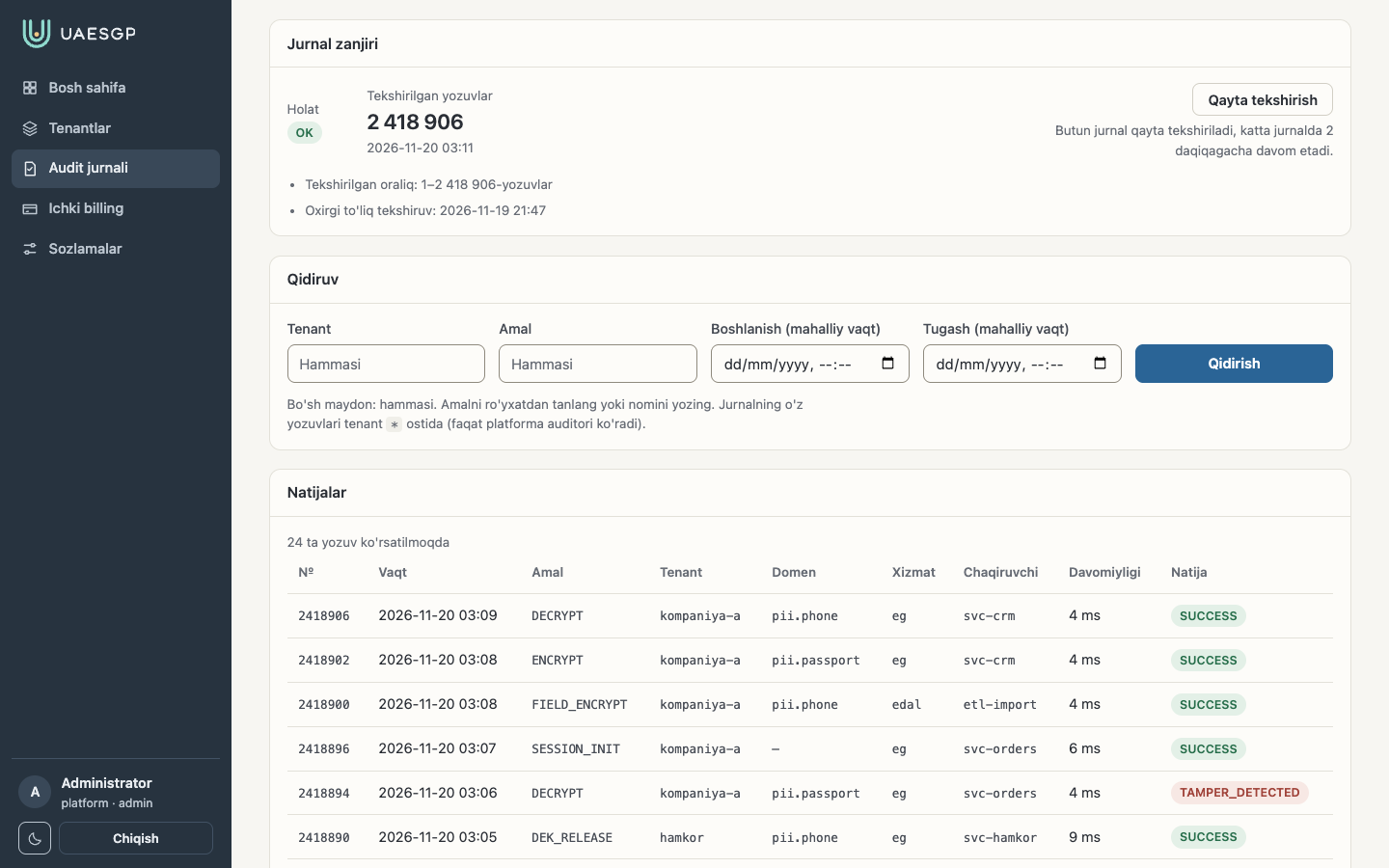
Each encryption and decryption is recorded with time, tenant, domain, key, caller, result and IP. No plaintext enters the log. Each row includes the hash of the previous row, and the hash is computed with a secret key.
The diagram continues to the right: scroll sideways →
UPDATE, DELETE and TRUNCATE. The service role has only SELECT and INSERT rights.How you verify it
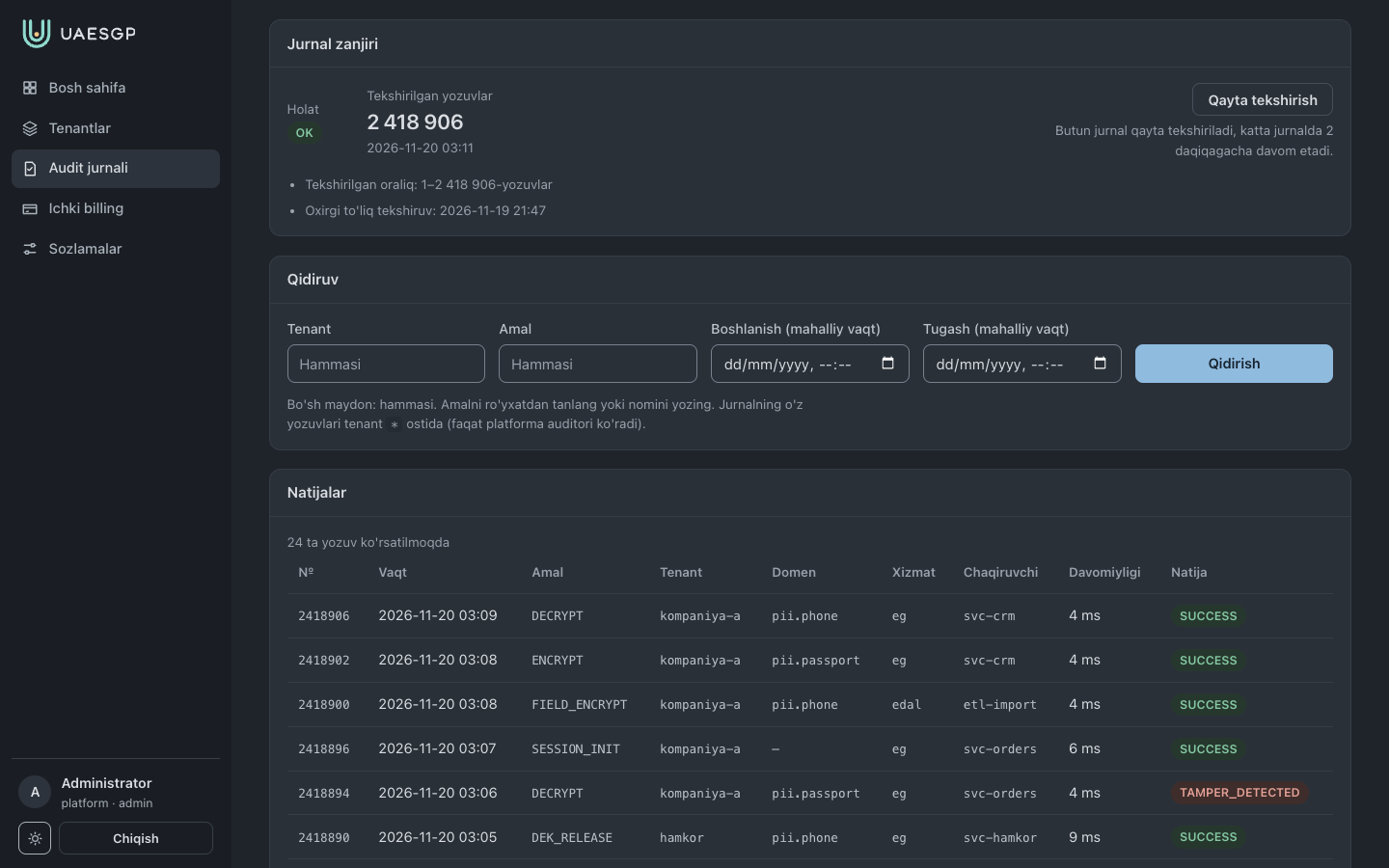
The "Qayta tekshirish" (re-verify) button in the console, uaesgp-cli verify, and uaesgp-cli kms-verify for the KMS log. If the chain is broken, the command exits with code 3. In the background a check runs every minute and a full pass every day. Searching the log is itself logged.
Limitations
- The chain detects; it does not prevent. A person holding both the chain key and the database owner role can rewrite history. Only earlier external checkpoints reveal this. Give these two to different people and keep logs externally.
- Verification requires a secret key. This is not a public proof: an external auditor either gets the key or trusts the operator.
- Records are delivered asynchronously and do not block the request, except for key release. If the audit service and the Redis queue are both down, the record stays only in the local log, is counted and raises an alert.
- The KMS sends only refusals to the central log. Successful key releases stay in the log and in
kms_auditaggregates, and do not appear in the console. - There is no record yet of the chain check being run on a running stack: the status record shows Unit tested.
UAESGP provides technical controls; compliance is for your lawyers to decide
UAESGP gives you technical control tools: field-level encryption, key separation, access control and a tamper-evident audit log. Compliance also depends on your processes, and that is for your lawyers and auditors to decide.
This section is general information, not legal advice. Check the current law with your lawyer. The texts were re-checked against the current versions on lex.uz on 19 November 2026. Nothing on this page claims that UAESGP meets the requirements of any law or standard.
Uzbekistan: personal data
The Law on Personal Data (O'RQ-547) requires owners, operators and third parties to take legal, organizational and technical measures to protect data (Article 27). UAESGP can be part of your technical measures.
Cabinet of Ministers Resolution No. 570 of 5 October 2022, Annex 2, paragraph 4, states that biometric and genetic data stored in electronic form must be encrypted and protected by cryptographic or other means. UAESGP encrypts the fields you choose. Ask your lawyer how this rule applies to your systems.
Storage location
From 27 March 2026, biometric data, genetic data and the data of telecom operators' customers must be stored in Uzbekistan (Article 27-1). UAESGP runs on your server, and you choose where it runs.
Other personal data may be stored abroad only under the conditions in Article 27-1, and cross-border transfer is subject to Article 15 and Cabinet of Ministers Resolution No. 415 of 2026. Where your servers sit is your decision and your responsibility. Encryption does not replace storage location rules.
UAESGP does not register your databases for you. We provide technical documents you can use in your own work.
GDPR
GDPR Article 32(1)(a) cites encryption as an example of an appropriate measure. UAESGP can be used in your risk assessment under Article 32.
Under Article 34(3)(a), if measures such as encryption have made the affected data unintelligible to anyone not authorized to access it, the controller may not have to notify data subjects of the breach. Notifying the supervisory authority under Article 33 is a separate matter.
PCI DSS and ISO/IEC 27001
Field-level encryption of card numbers and separate key management can be part of your technical measures for PCI DSS v4.0.1 Requirements 3.5 to 3.7. No product on its own delivers PCI DSS compliance. Whether your implementation meets the standard is for your QSA or acquirer to decide.
ISO/IEC 27001 certification is granted by an independent body to an organization's management system, not to a product. UAESGP controls can serve as evidence in your own program.
License and certification questions remain open
In Uzbekistan, the development, production and sale of cryptographic protection tools require a license. Protection tools used in state bodies and in critical information infrastructure, including the banking and financial system, must be certified, and payment organizations must use licensed cryptographic tools. This page does not settle how these requirements apply to UAESGP or to your system.
UAESGP is not currently certified by any body and does not support the O'z DSt 1105 and 1092 algorithms. Put these questions to your lawyer before signing a contract. Also ask whether the online lease connection counts as external information exchange: what is sent is described above.
If you find a vulnerability, write to this address
Briefly describe the version, the steps to reproduce and the impact. Test only on a deployment that belongs to you or that you have permission to test. Do not include real customer data or a working key in the email.
A bounty program, response time and PGP key have not been announced yet.
Next step: check in your own environment
You can check the claims on this page in your own environment during the pilot. The pilot is free for one month, with 10,000 operations a month, and runs in a test environment on your server.
If no mail app opens, write to this address: ogabekkadirov.dev@gmail.com